---
title: "Chat SDK Liveblocks Bot"
description: "Build a bot that you can engage with inside Liveblocks."
url: "https://vercel.com/templates/next.js/chat-sdk-liveblocks-bot"
links:
repository: "https://github.com/liveblocks/liveblocks/tree/main/examples/nextjs-chat-sdk-bot"
demo: "https://github.com/liveblocks/liveblocks/tree/main/examples/nextjs-chat-sdk-bot"
deploy: "https://vercel.com/new/clone?demo-title=Chat+SDK+Liveblocks+Bot&demo-description=Build+a+bot+that+you+can+engage+with+inside+Liveblocks.&demo-url=https%3A%2F%2Fgithub.com%2Fliveblocks%2Fliveblocks%2Ftree%2Fmain%2Fexamples%2Fnextjs-chat-sdk-bot&project-name=Chat+SDK+Liveblocks+Bot&repository-name=chat-sdk-liveblocks-bot&repository-url=https%3A%2F%2Fgithub.com%2Fliveblocks%2Fliveblocks%2Ftree%2Fmain%2Fexamples%2Fnextjs-chat-sdk-bot&env=LIVEBLOCKS_SECRET_KEY%2CLIVEBLOCKS_WEBHOOK_SECRET&envDescription=Get+your+Liveblocks+secret+key+and+webhook+secret+from+the+Liveblocks+dashboard&demo-image=%2F%2Fimages.ctfassets.net%2Fe5382hct74si%2F4huowRobsfDxlRKPlWd7mX%2F8794b82d58c7a059e1672af6da94caaa%2Fthumb-vercel-templates.jpg"
---
# Chat SDK Liveblocks Bot
Build a bot that you can engage with inside Liveblocks.


# Chat SDK + Liveblocks adapter bot




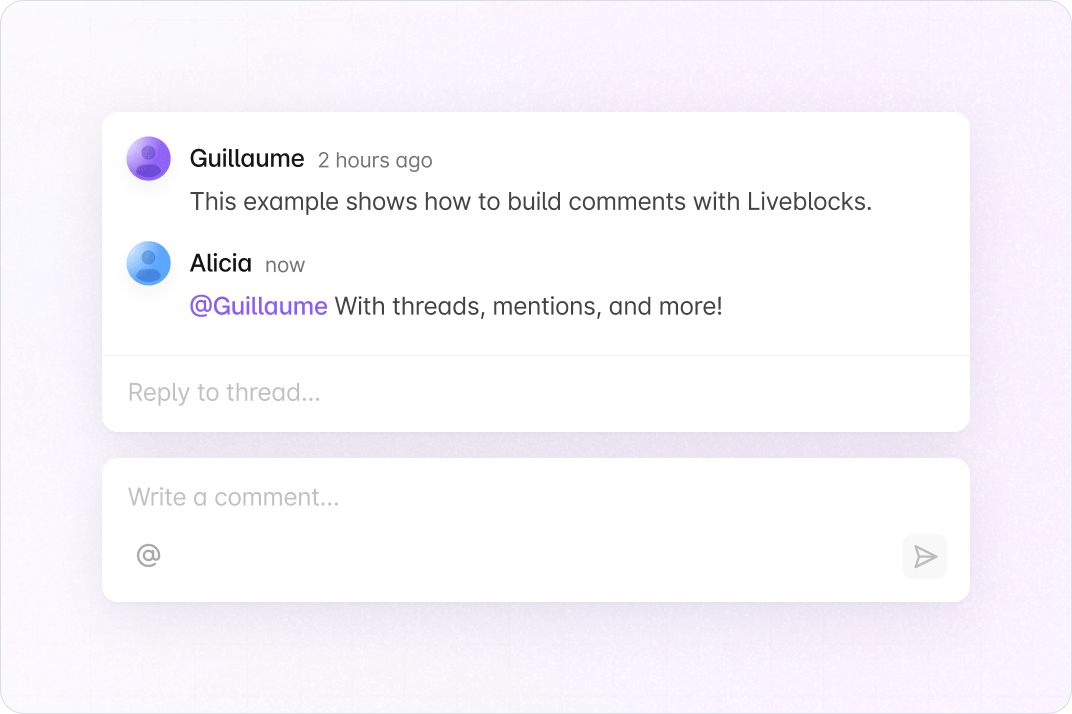
This example shows how to build a bot on Liveblocks comment threads using the
[Chat SDK](https://chat-sdk.dev):
[`@liveblocks/chat-sdk-adapter`](https://liveblocks.io/docs/api-reference/liveblocks-chat-sdk-adapter)
is Liveblocks’ **platform adapter** for the Chat SDK, and
[`@chat-adapter/state-memory`](https://www.npmjs.com/package/@chat-adapter/state-memory)
provides the Chat SDK **state** adapter. The UI runs on
[Liveblocks](https://liveblocks.io) and [Next.js](https://nextjs.org/).
When someone @-mentions the bot in a thread, it replies in the thread; adding a
reaction to a message triggers a short reply as well.
 ## Getting started
Run the following command to try this example locally:
```bash
npx create-liveblocks-app@latest --example liveblocks-chat-sdk-bot --api-key
```
This will download the example and ask permission to open your browser, enabling
you to automatically get your API key from your
[liveblocks.io](https://liveblocks.io) account.
### Setting up webhooks
The Liveblocks adapter (`@liveblocks/chat-sdk-adapter`) needs Liveblocks
webhooks to receive new comments and reactions.
- Follow our guide on
[testing webhooks locally](https://liveblocks.io/docs/guides/how-to-test-webhooks-on-localhost).
When creating the webhook endpoint, enable the **commentCreated**,
**commentReactionAdded**, and **commentReactionRemoved** events (see
[webhook events](https://liveblocks.io/docs/platform/webhooks#edit-endpoint-events))
- Copy your **webhook secret** (`whsec_…`) from the webhooks dashboard
- Add it to `.env.local` as the `LIVEBLOCKS_WEBHOOK_SECRET` environment variable
### Manual setup
## Getting started
Run the following command to try this example locally:
```bash
npx create-liveblocks-app@latest --example liveblocks-chat-sdk-bot --api-key
```
This will download the example and ask permission to open your browser, enabling
you to automatically get your API key from your
[liveblocks.io](https://liveblocks.io) account.
### Setting up webhooks
The Liveblocks adapter (`@liveblocks/chat-sdk-adapter`) needs Liveblocks
webhooks to receive new comments and reactions.
- Follow our guide on
[testing webhooks locally](https://liveblocks.io/docs/guides/how-to-test-webhooks-on-localhost).
When creating the webhook endpoint, enable the **commentCreated**,
**commentReactionAdded**, and **commentReactionRemoved** events (see
[webhook events](https://liveblocks.io/docs/platform/webhooks#edit-endpoint-events))
- Copy your **webhook secret** (`whsec_…`) from the webhooks dashboard
- Add it to `.env.local` as the `LIVEBLOCKS_WEBHOOK_SECRET` environment variable
### Manual setup
Read more
Alternatively, you can set up your project manually:
- Install all dependencies with `npm install`
- Create an account on [liveblocks.io](https://liveblocks.io/dashboard)
- Copy your **secret** key from the
[dashboard](https://liveblocks.io/dashboard/apikeys)
- Create an `.env.local` file and add your **secret** key as the
`LIVEBLOCKS_SECRET_KEY` environment variable
- Run `npm run dev` and go to [http://localhost:3000](http://localhost:3000)
- Follow the “Setting up webhooks” section above
Read more
To both deploy on [Vercel](https://vercel.com), and run the example locally, use
the following command:
```bash
npx create-liveblocks-app@latest --example liveblocks-chat-sdk-bot --vercel
```
This will download the example and ask permission to open your browser, enabling
you to deploy to Vercel.
Next, follow the “Setting up webhooks” section above (use your production
webhook URL).
Read more
After forking
[this example](https://codesandbox.io/s/github/liveblocks/liveblocks/tree/main/examples/liveblocks-chat-sdk-bot)
on CodeSandbox, add the `LIVEBLOCKS_SECRET_KEY` and `LIVEBLOCKS_WEBHOOK_SECRET`
environment variables as [secrets](https://codesandbox.io/docs/secrets).
Webhook delivery to a sandbox URL may require a tunnel (see
[testing webhooks locally](https://liveblocks.io/docs/guides/how-to-test-webhooks-on-localhost)).