Checkly

Synthetic monitoring
Application Reliability Built For Modern Engineering Teams
Checkly enables organizations to unify testing, monitoring, observability, and incident management into a coded workflow. Checkly's approach of monitoring as code enables organizations to automate & scale their testing and monitoring using LLMs or hosting provider's like Vercel like never before:
-
Detect: Reuse Playwright tests as monitors running globally configured through our CLI, Terraform or Pulumi provider
-
Communicate: Configure alert channels like Slack & Email & build Status Pages
-
Resolve: AI-powered error analysis & traces for quick resolution
Start in Checkly
Get started quickly by clicking 'Open in Checkly' above.
Once you’re logged in, follow the guide to setup and deploy your monitoring and you'll be ready to go in minutes.
Need help? Visit our docs or reach out via support in the Checkly app.
Next.js/Vercel
Combine testing and monitoring in a single workflow. Let's get you familiar working with monitoring-as-code.
Start by connecting to your existing project and then run vercel link in the CLI to link to the project locally.
Make the Checkly account ID and API key available to your local project.
vercel env pull .env.development.local
The Checkly CLI does not handle empty environment variables. We recommend that you remove any empty variables before using the --env-file flag.
Export your Checkly account ID and API key. This allows you to authenticate your Checkly CLI session.
export CHECKLY_ACCOUNT_ID ="{{CHECKLY_ACCOUNT_ID}}”export CHECKLY_API_KEY =“{{CHECKLY_API_KEY}}”Install the Checkly CLI to manage your monitoring setup directly from your IDE.
npm create checkly- During the onboarding, Initialize a new project to add an example API, browser, and heartbeat check in a new
__checks__folder. - You can create a custom browser check by providing a URL to monitor.
- Choose if you want a new git repo, and if you want any existing Playwright config settings to be carried over to the Checkly config.
See the CLI documentation for more information.
Run your checks in the Checkly cloud with the following command:
npx checkly test --recordThis will run the checks in the __checks__ directory and record them in your Checkly account as a test session.
Next, deploy the checks in the __checks__ directory as monitors in your Checkly account. You will then see them in the Checkly home dashboard.
npx checkly deployCongratulations! You now have synthetic monitors keeping an eye on your product, all managed directly from your repository.
You can now see your example checks running on the Checkly home dashboard.
Next, you can modify the example checks in your __checks__ directory to monitor your project, create additional monitors to check core user flows or critical API endpoints, all managed directly in your repository.
You should also set up an alert channel to notify you in case one of your checks fail.
Check out the CLI documentation for details on how to build checks, alert channels, groups and more.
Features
Playwright Testing & Monitoring: Trigger end-to-end Playwright tests and API monitoring whenever you deploy to your Vercel app, ensuring your apps remain fast, reliable, and error-free.
Monitoring as Code: Define & manage monitors using Terraform, JavaScript SDKs, or Checkly CLI. Monitoring is version-controlled and scalable alongside your application.
API & Synthetic Monitoring: Monitor APIs for uptime, performance, and correctness. Ensure they respond correctly with automated checks for latency, status codes, and expected responses.
Observability with OpenTelemetry: Gain insights into application performance by connecting Checkly with OpenTelemetry tracing, providing full visibility into failures.
Smart Alerts & Incident Management: Get instant notifications via Slack, PagerDuty, or webhooks when a failure occurs. Full context, no noise—just the data needed to resolve issues faster.
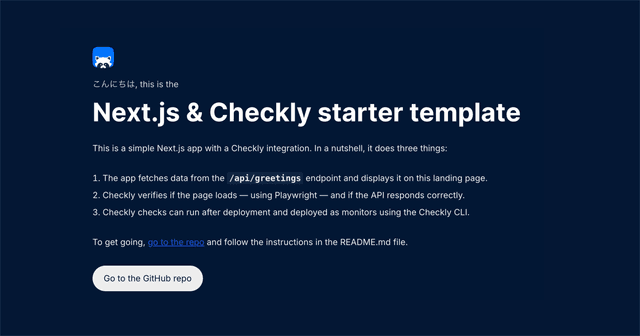
Starter Template