


You can now use AI Gateway budgets to set a dollar spending limit for each user on your team.
The limit covers spend from every API key attributed to the user, along with their app tokens. After it's reached, AI Gateway rejects new requests until the budget resets or is increased.
This is useful for controlling spend from coding agents and other workloads that run without supervision, and prevents one user from consuming all of the team's shared budget.
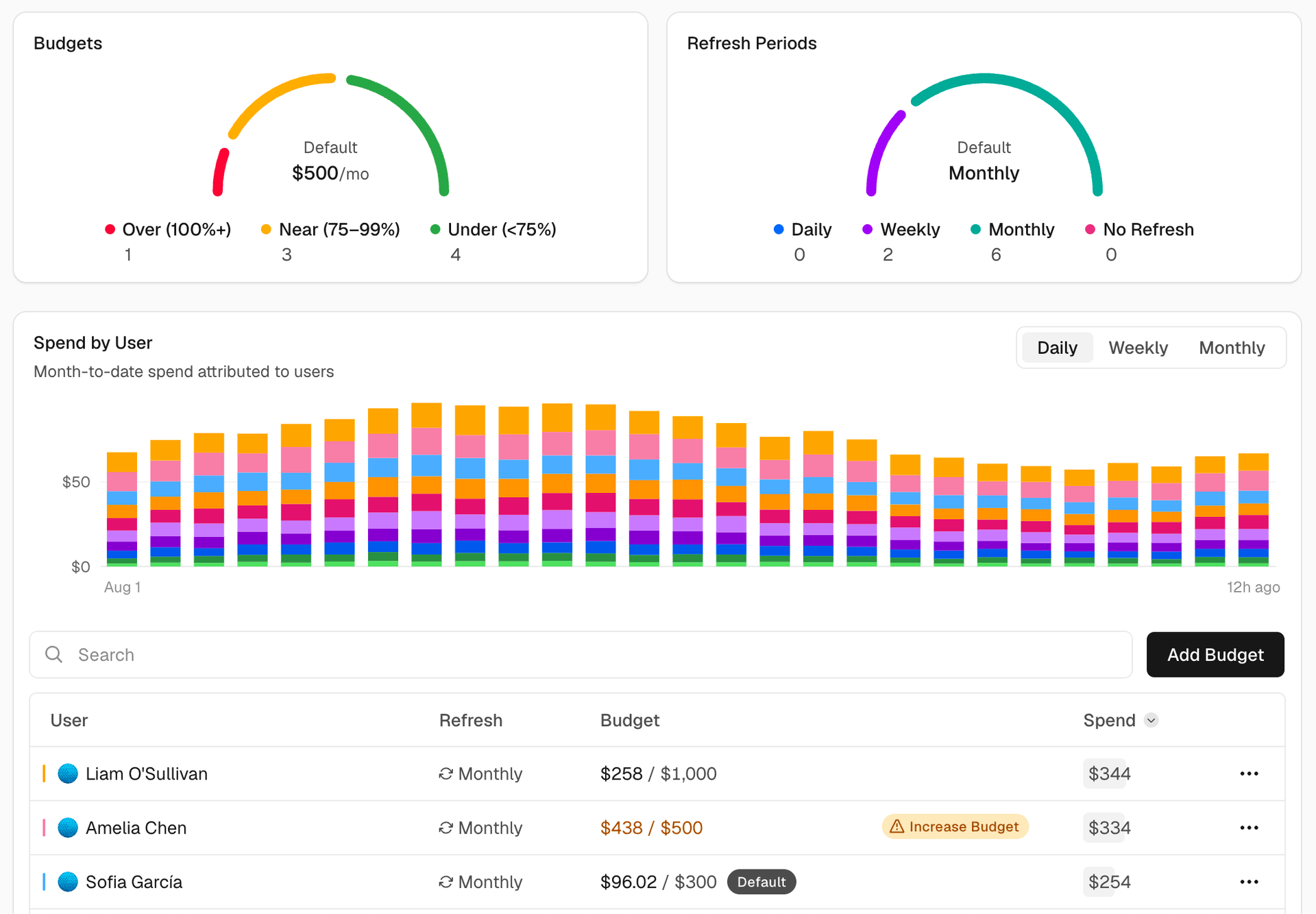


Copy link to headingSet user budgets
Open the Users view on the Budgets page to set two kinds of user budgets:
Default budget: If set, applies separately to every person without a custom budget, including users added later. Each user gets their own allowance rather than sharing one limit across the team.
Custom budget: Applies to one person and overrides the default. Removing it returns that user to the default budget.


Both default and custom budgets reset monthly by default, but you can change them to reset daily, weekly, or not at all. Budgets also support usage alerting via email to notify when you are at 50%, 75%, and/or 100% of your allocation.
User budgets don't replace API key, project, or team budgets. A request must remain within every budget that applies to it. Reaching any applicable limit blocks new requests.
API keys are attributed to the user who created them by default. If a key belongs to a production application or another shared workload, attribute it to the team from the API Keys page to keep its spend out of the key creator's budget. Keys created prior to the user budget feature release were attributed to the team for backwards-compatibility, so rotate to new keys if you wish to have current usage fall under the user scope.
Copy link to headingSet budgets from the CLI
Upgrade to the latest Vercel CLI with vercel upgrade. You need Vercel CLI 59.6.2 or newer for user budgets, then set a default or custom user budget:
# Set the default user budget to $50 per monthvercel ai-gateway budgets defaults set user --limit 50 --refresh-period monthly
# Set one member's custom budget to $100 per monthvercel ai-gateway budgets set user teammate@example.com --limit 100 --refresh-period monthly
Set default and custom user budgets from the Vercel CLI.
Identify a member by their email address, username, or user ID.
Team owners can manage user budgets, and can also grant other members AI Gateway Budget Manager permissions from team member settings. Spend using Bring Your Own Key (BYOK) credentials doesn't count toward user budgets.
Update to the latest Vercel CLI with vercel upgrade to get started, and learn more in the AI Gateway budgets documentation.