


Priority Projects are now in public beta for Pro and Enterprise teams. This optional upgrade for individual Vercel projects adds bot and traffic-source signals, Page Integrity for monitoring and controlling client-side scripts and connections, and additional Firewall controls and alerts.
Copy link to headingBot signals
Bot protection is free on all plans. You can enable it to challenge non-browser traffic while allowing verified bots. Priority adds more detailed bot signals: categories, verification status, and names where available. Use these signals in:
Firewall rules: Match on
bot_name,bot_category,bot_status, andbot_protectionin the dashboard or withvercel firewall rules add.Application code: Read
x-vercel-bot-category,x-vercel-bot-name, andx-vercel-verified-botfrom request headers in Routing Middleware and Vercel Functions. See the header reference for verified and claimed bot names.Logs and Observability: Logs show the Firewall action on all plans. Priority adds the matched rule and bot details where available. In Firewall Observability, Priority adds
botCategoryfor unverified traffic. Log Drains also include bot classifications.
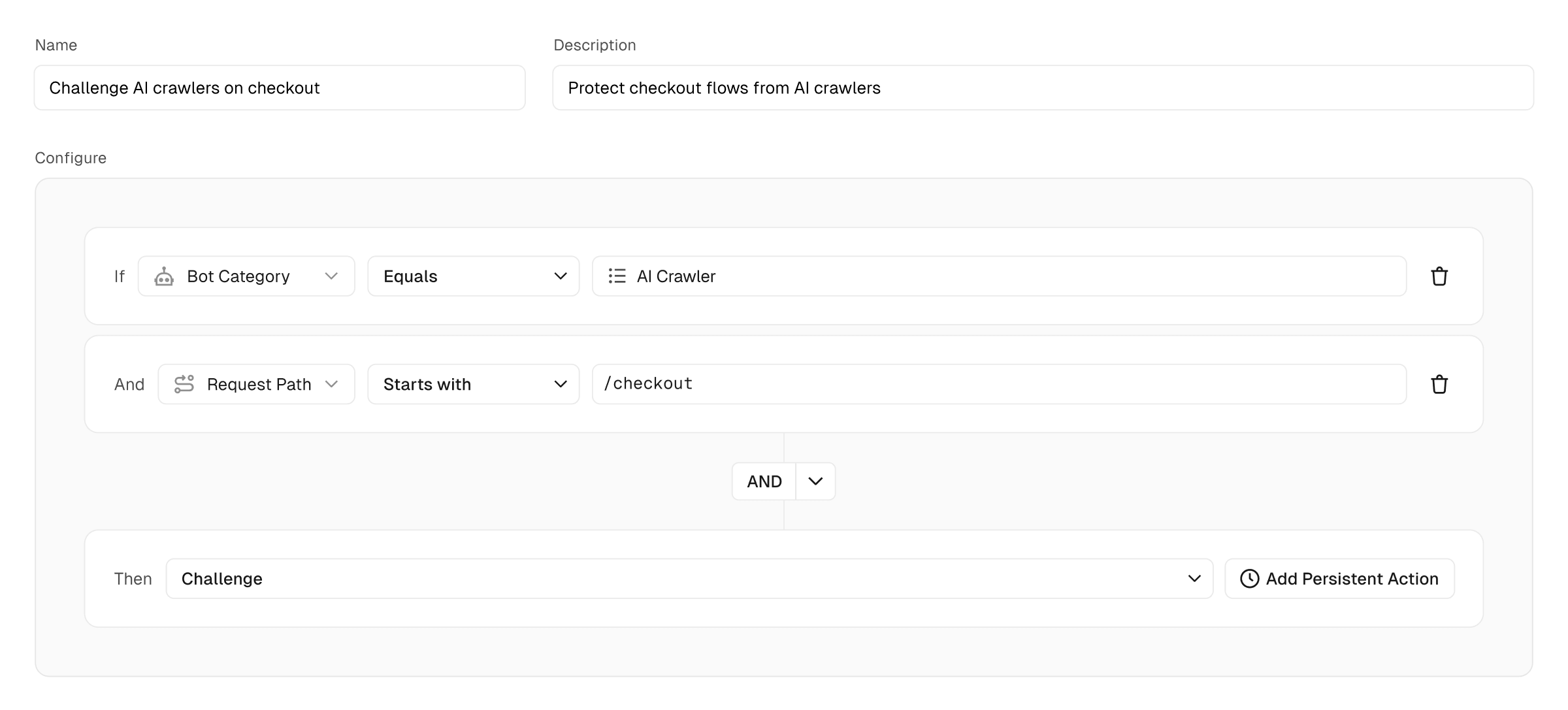
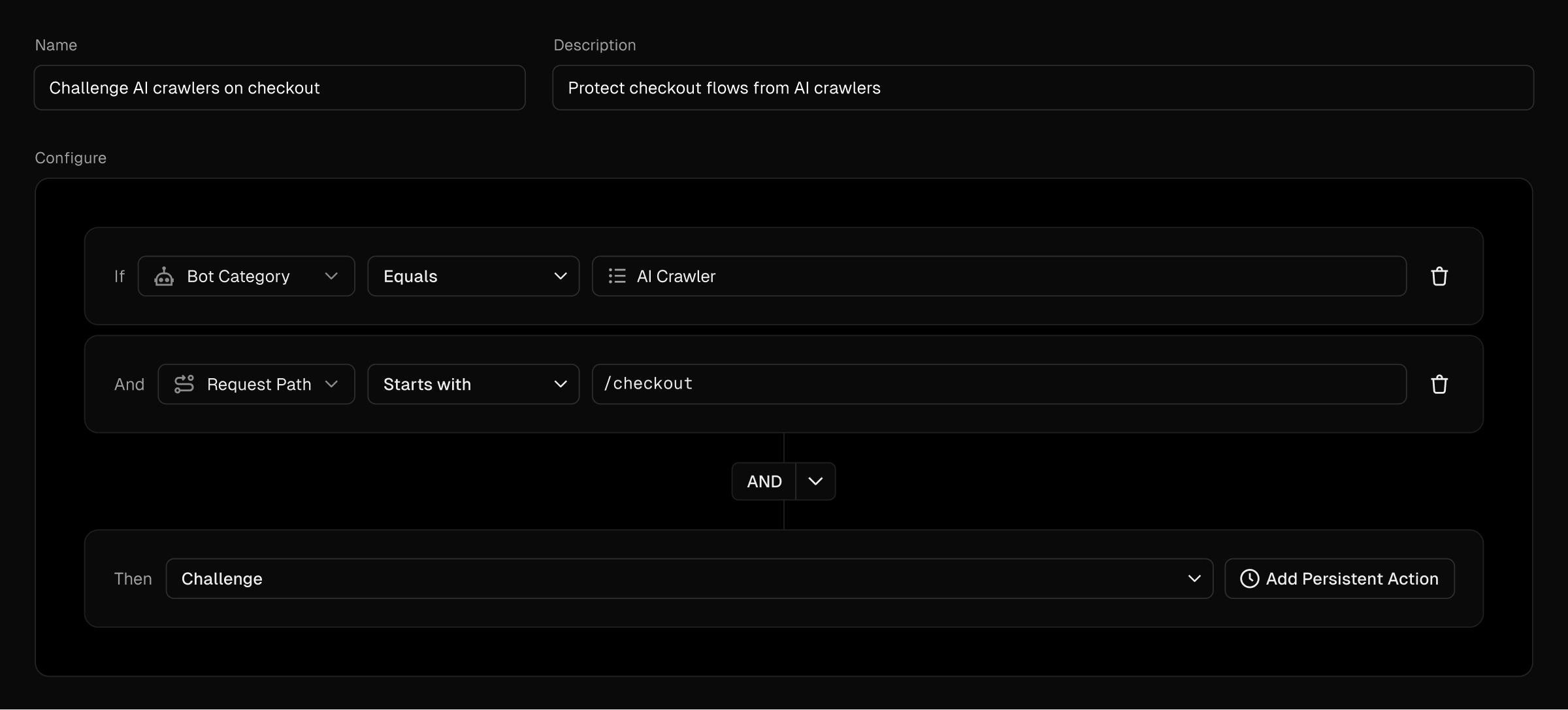
Copy link to headingTraffic Sources
Priority adds Traffic Sources labels for requests from Tor exit nodes, VPNs, open or anonymizing proxies, and residential proxies. It also labels traffic flagged by abuse blocklists.
Use these labels in custom Firewall rules, analyze them in Firewall Observability, or read them from the x-vercel-waf-source request header in your application. A request can have multiple labels.
Use the Traffic Sources managed ruleset to log, challenge, or block traffic by source category. Review matching traffic before enabling blocking, since these categories can also include legitimate users.
To enable the Traffic Sources managed ruleset from the CLI, run vercel firewall managed-rulesets enable traffic-sources. This stages the change; review it with vercel firewall diff, then apply it with vercel firewall publish.
Copy link to headingPage Integrity
Priority Projects get access to Page Integrity to monitor client-side scripts and connections, receive alerts when new scripts or connections are detected, and block unapproved resources.
Page Integrity maintains a resource inventory and uses Content Security Policy (CSP) for discovery and enforcement, without adding client-side JavaScript.
It operates in three stages:
Detect: Discover scripts using report-only CSP headers on sampled requests.
Review: Approve or reject scripts and record business justifications.
Block: Enforce a CSP that blocks scripts outside the approved inventory.
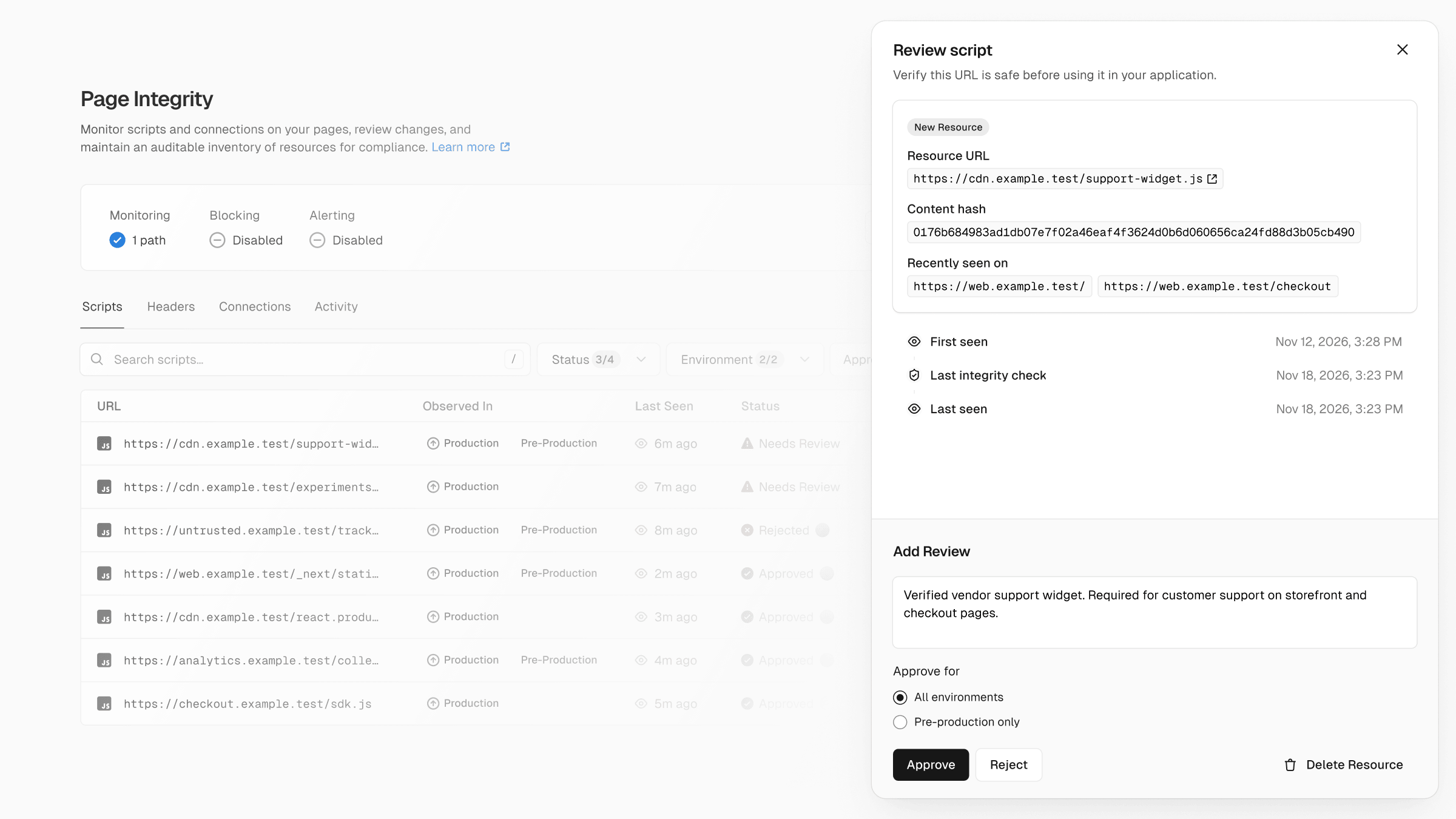
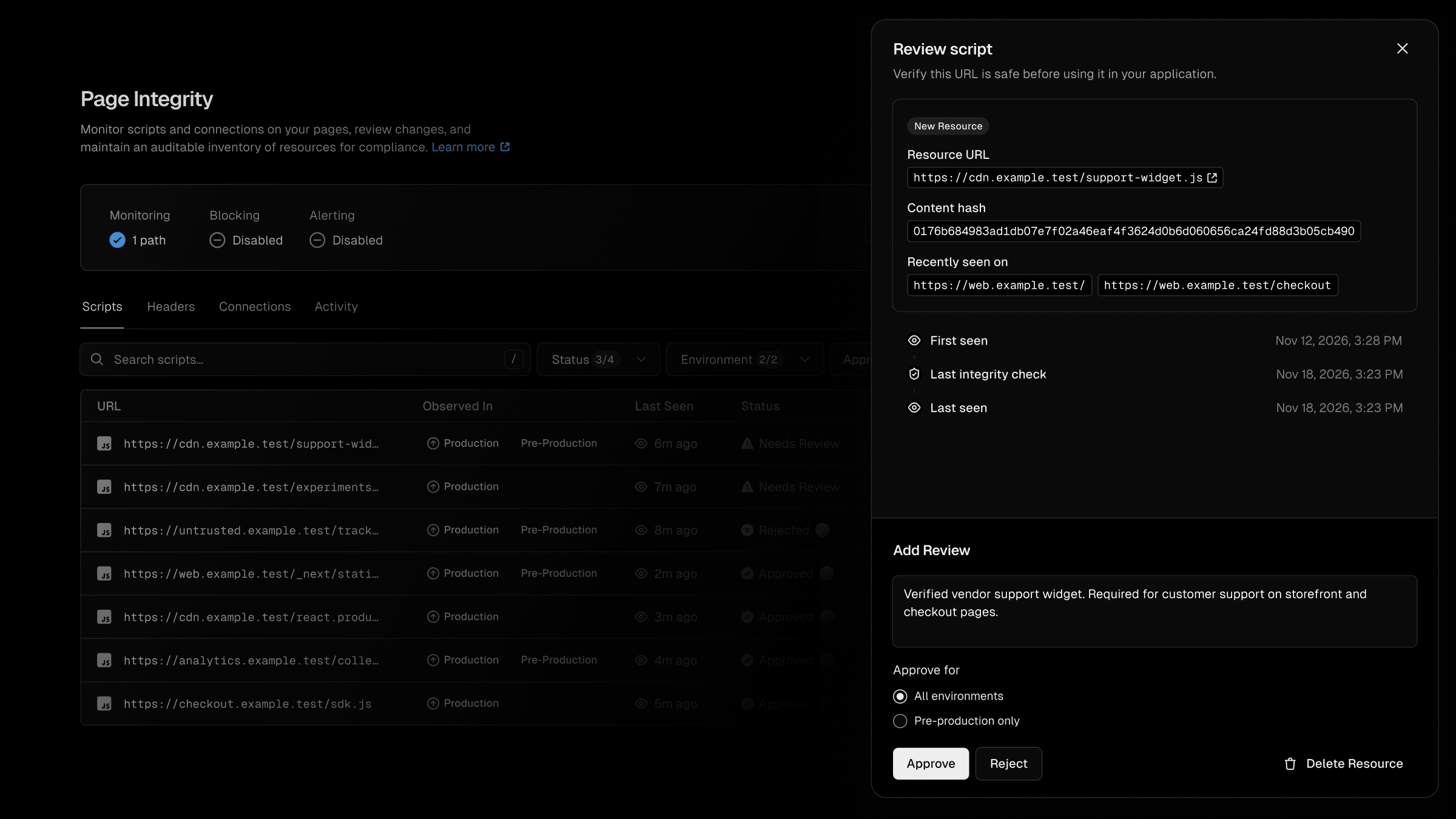
Page Integrity must be enabled separately. Configure monitoring and review resources in the dashboard; the CLI can also show its resource inventory:
vercel page-integrity scripts listvercel page-integrity headers listvercel page-integrity connections listList detected scripts, security headers, and connections.
Copy link to headingFirewall controls and alerts
Copy link to headingAnomaly alerts
DDoS alerts are available on all plans. Priority adds anomaly alerts for bot traffic and requests matching system or custom Firewall rules. Use these alerts to investigate potential attacks and unusual traffic patterns.
Configure notifications in your team’s Settings > Alerts, with delivery options including email, Slack, and webhooks.
View recent alerts with vercel alerts --since 24h. To manage alert configuration from the CLI, see vercel monitors.
Copy link to headingOWASP Core Ruleset
On Pro, Priority lets you enable the OWASP Core Ruleset to protect against common web application attacks. Enterprise projects can already enable it without Priority.
Add it as a team default from Security > Rules, or enable it for a linked project via the CLI with vercel firewall managed-rulesets enable owasp --yes followed by vercel firewall publish. OWASP inspection is billed separately per inspected request and GB of inspected payload.
Copy link to headingResponse-based rate limiting
Priority adds response conditions to the rate-limit rules available on all plans. Count requests toward a limit only when their responses match specified HTTP status codes or response headers. For example, count 401 responses from failed login attempts or 404 responses for missing pages, rather than every matching request.
Copy link to headingHigher Firewall limits
Priority increases the following per-project limits (shown as standard → with Priority):
Copy link to headingGet started
Priority costs $200 per project per month. Enable it from your project’s Firewall or Settings page, or with the CLI.
For the CLI, update to the latest version with vercel upgrade, then enable Priority for the project you want to upgrade:
vercel project priority enable <project-id>Page Integrity usage is billed separately. Its standard rate is $2 per 1,000 monitored page views, with each view covering up to 100 scripts.
Learn more in the Priority Projects documentation.
Contributors


Karen Chen, Pranav Kanchi, Karishma Asthana