Screenshots and Versions
Words are great, but sometimes a picture says it faster. Especially when the picture is a screenshot of a logo you already love, or an ugly sketch you scrawled on a napkin.
v0 takes both.
Upload an image as a design guide
Drag any image into the prompt input. A photo, a screenshot, a logo from another site you admire. Then tell v0 what to do with it.
use this as a guide for creating a new logo for the website
v0 will read the image and produce its own version. It's not a copy, it's an interpretation. So if you want consistency in two places (say, the header logo and the footer logo), say so explicitly:
make sure that the logo in the footer is the same
Sketch what you want
The wild part: you don't need a polished mockup. You can literally draw a wireframe on a piece of paper, photograph it, and upload it.
use this drawing to change the layout position for the contact section
v0 reads the spatial intent (where things go, how they're arranged) and rebuilds the section to match. The drawing can be terrible. Mine was. The layout still came out clean.
Roll back when you go too far
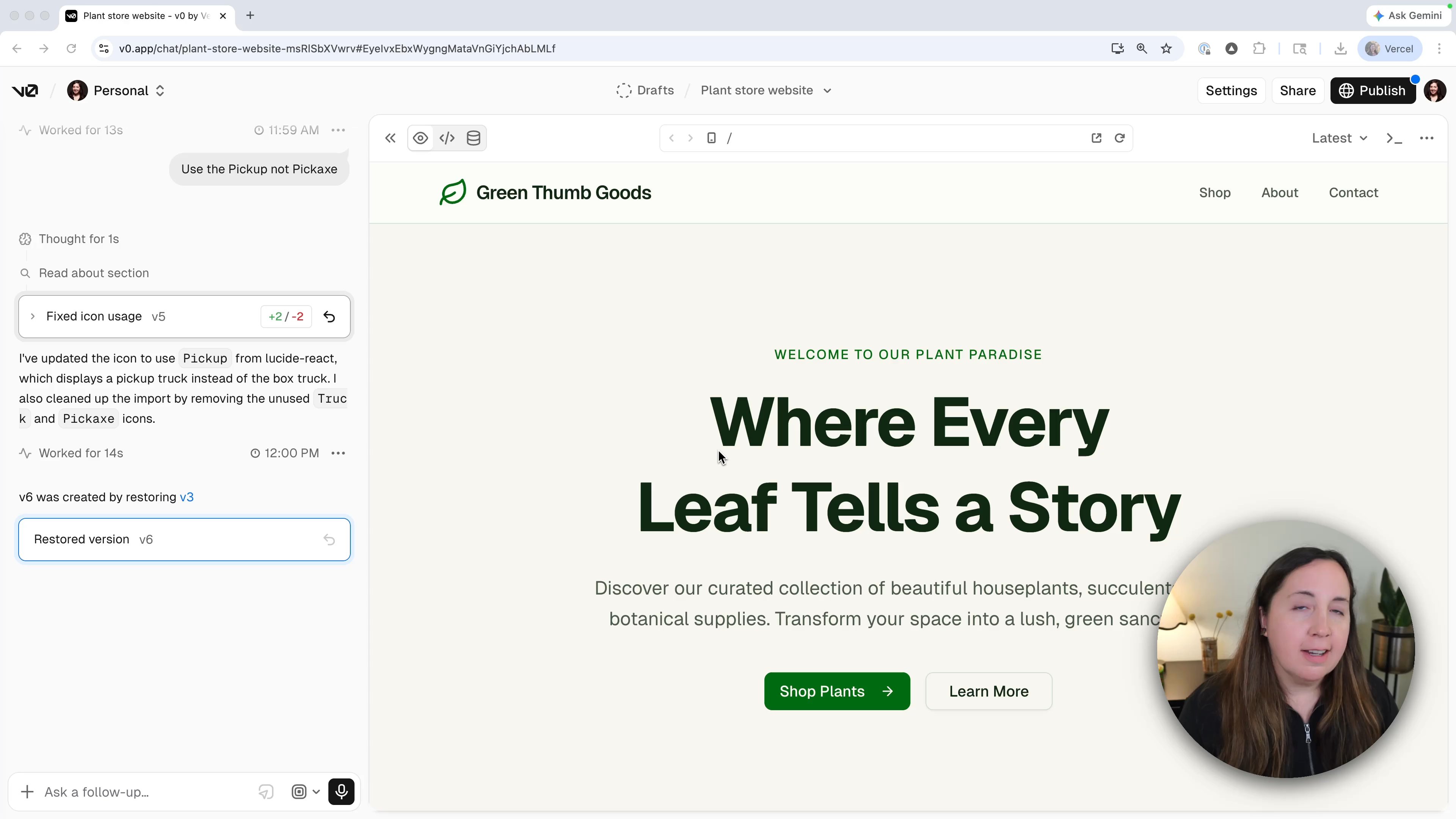
Every change v0 makes is a new version. The dropdown at the top of the preview (it says Latest by default) is your full history.
If you make a change you regret, drop into the version dropdown, pick an earlier version, and you're back where you started. No undo button required, no work lost.
This is also great for experimenting. Try a wild redesign. If it's bad, roll back. If it's good, keep going.
Recap
- Upload images to guide design, including hand-drawn sketches.
- Be explicit about consistency when you want the same element repeated.
- Versions are your safety net. Try things. Roll back if they don't work.
Was this helpful?