New Project
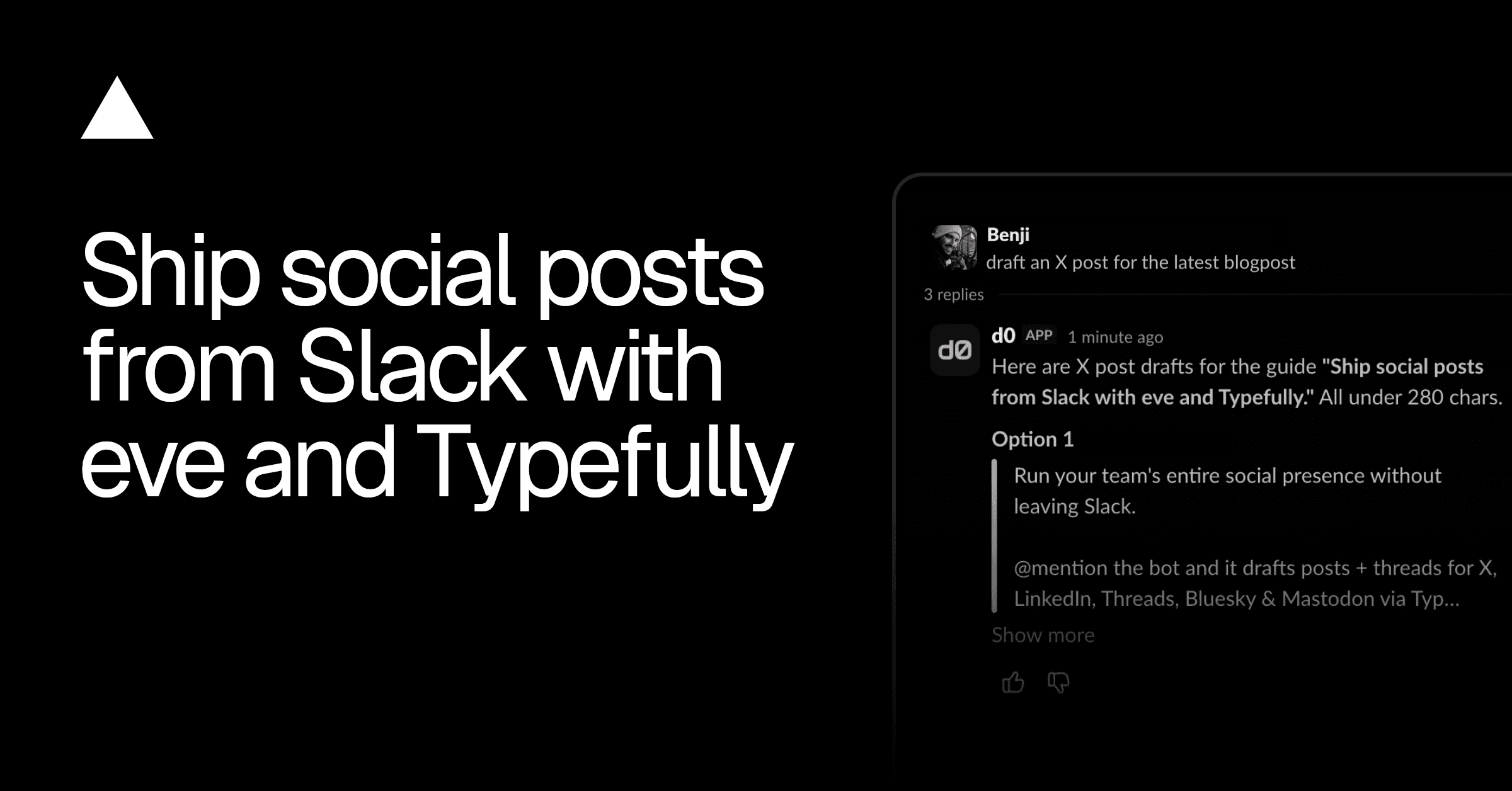
A Slack-based social media agent built on eve. Team members @mention it in Slack and it runs their social presence through Typefully.
A Slack-based social media agent built on eve. Team members @mention it in Slack and it runs their social presence through Typefully: drafting posts and threads for X, LinkedIn, Threads, Bluesky, and Mastodon, scheduling and managing the publishing queue, uploading media, reading analytics, and pulling briefs from Notion. Long-form pieces are shared as Notion pages.
TYPEFULLY_API_KEY), so drafts and scheduling run against your real workspace. Plain drafting is friction-free; scheduling or publishing a post (publish_at) and deleting drafts, comments, or threads pause for approval before they run.TYPEFULLY_ANALYTICS_CHANNEL).Deploying with the button provisions everything the agent needs and wires it up for you:
SLACK_CONNECTOR, with the event trigger pointed at /eve/v1/slack),TYPEFULLY_API_KEY),NOTION_CONNECTOR),Once deployed, @mention the bot in your Slack workspace to start working on your social posts.
| Layer | Technology |
|---|---|
| Agent framework | eve |
| Language | TypeScript (strict, ESM) |
| Chat surface | Slack, via Vercel Connect |
| Social publishing | Typefully (MCP), static API key (TYPEFULLY_API_KEY) |
| Briefs & long-form drafts | Notion (MCP), user-scoped OAuth via Vercel Connect |
| File storage | Vercel Blob |
| Model access | Vercel AI Gateway |
| Sandbox | Vercel Sandbox |
| Lint & format | Ultracite (Biome) |
One secret to manage. Slack and Notion authenticate through Vercel Connect, and Vercel Blob and AI Gateway through Vercel OIDC — no keys to manage for any of them. The one credential you supply is the Typefully API key, set as the TYPEFULLY_API_KEY environment variable in the Vercel project (and in .env.local for local development).
If you're working with an AI coding agent like Claude Code or Cursor, you can use this prompt to have it help you with building your agent:
The eve content agent template is a full content assistant with a house voice and style skills for long-form surfaces this agent doesn't cover (blog posts, release notes, newsletters). Instead of merging all of that into this agent, you can deploy it as its own agent and let this one delegate to it through eve's remote agents feature.
vercelOidc() handles deployment-to-deployment auth with no shared secret:
CONTENT_AGENT_URL in this project's environment and mention the new subagent in agent/instructions.md so the agent knows when to hand off.The remote agent runs in its own deployment with its own skills and connections, and it never sees this agent's conversation history, so this agent packs everything the writer needs into the call message. The result comes back as a normal tool result, the same shape as the local researcher and reviewer subagents.
Link the project you deployed (or a fresh one) and pull its environment:
Then run the development server and link a model provider with /model in the TUI:
You can chat with the agent directly in the dev TUI to test the Typefully, Notion, and Blob flows. The Slack surface itself only runs against a deployment. Ship changes with:
This project uses Ultracite (a Biome preset) for linting and formatting:
The Deploy button provisions these for you. To set them up manually (for a project you didn't create with the button), use the Vercel CLI:
agent/instructions.md. It describes the whole workflow: load the right skill first, ground work in the user's real social sets and drafts, draft freely but schedule and delete only on approval, draft long pieces into Notion, and get a fresh-eyes review before proposing a draft.agent/connections/typefully.ts (the DELETE_TOOLS / PUBLISH_TOOLS lists and the publish_at check) and the APPROVAL_REQUIRED_TOOLS list in agent/connections/notion.ts to change which MCP tools pause for a human decision.agent/skills/. Each folder holds a SKILL.md plus its reference files. The five *-style skills carry per-platform guidance and a banned-words.json that the lint_against_style tool checks drafts against; writing-quality carries the generic prose rules. The reviewer subagent keeps its own identical copy of writing-quality under agent/subagents/reviewer/skills/.agent/agent.ts (or run /model in the dev TUI).agent/tools/. The filename is the tool name.TYPEFULLY_ANALYTICS_CHANNEL to the Slack channel id it should post to. Change the day or time in agent/schedules/weekly-analytics.ts (the cron is evaluated in UTC), and edit agent/tools/post_analytics_report.ts to change the report format. In dev, trigger a run with curl -X POST http://localhost:3000/eve/v1/dev/schedules/weekly-analytics.The agent auto-updates as you edit these files.