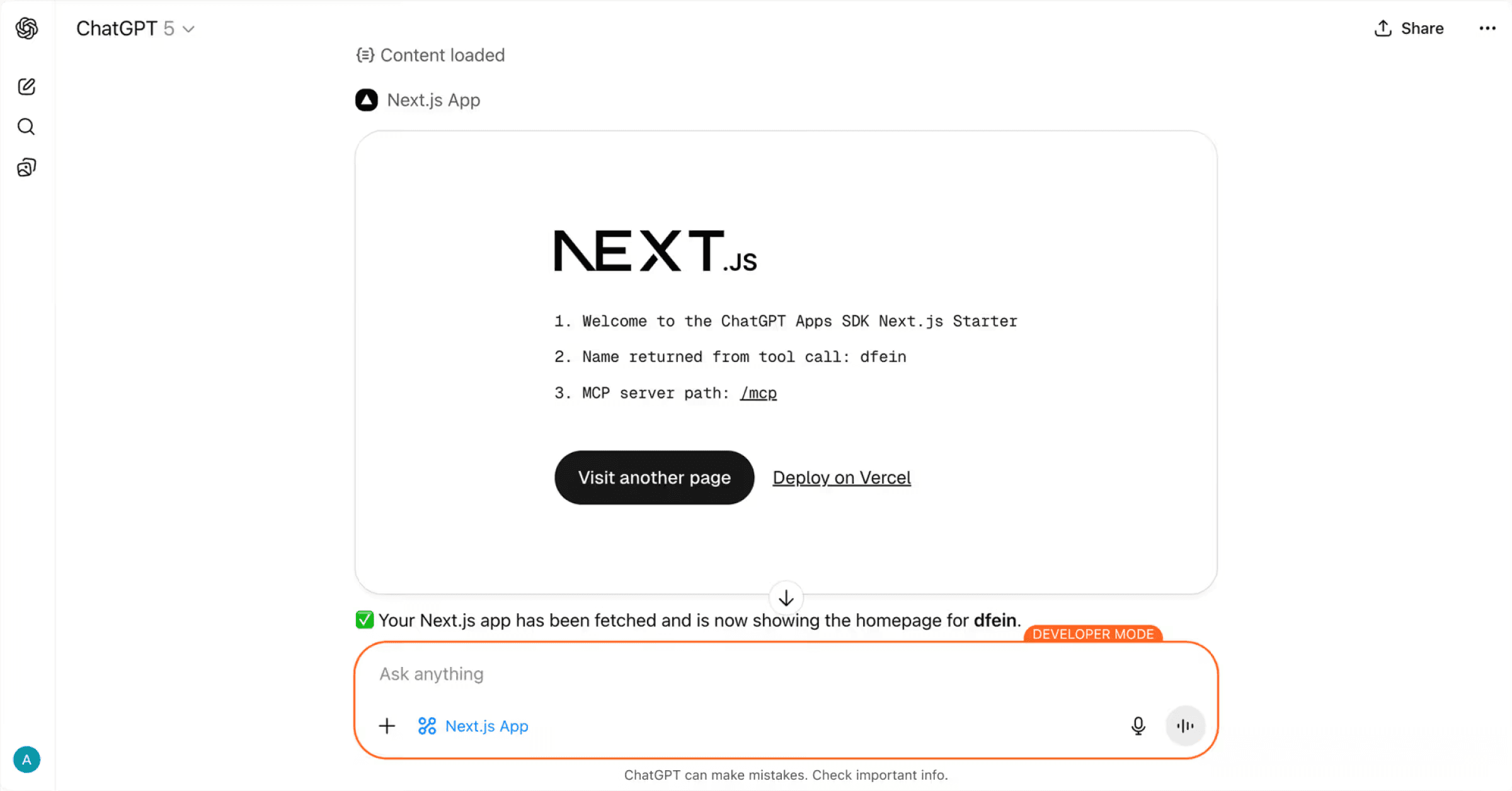
ChatGPT Apps SDK Next.js Starter
A minimal Next.js application demonstrating how to build an OpenAI Apps SDK compatible MCP server with widget rendering in ChatGPT.
Overview
This project shows how to integrate a Next.js application with the ChatGPT Apps SDK using the Model Context Protocol (MCP). It includes a working MCP server that exposes tools and resources that can be called from ChatGPT, with responses rendered natively in ChatGPT.
Key Components
1. MCP Server Route (app/mcp/route.ts)
The core MCP server implementation that exposes tools and resources to ChatGPT.
Key features:
- Tool registration with OpenAI-specific metadata
- Resource registration that serves HTML content for iframe rendering
- Cross-linking between tools and resources via
templateUri
OpenAI-specific metadata:
Full configuration options: OpenAI Apps SDK MCP Documentation
2. Asset Configuration (next.config.ts)
Critical: Set assetPrefix to ensure /_next/ static assets are fetched from the correct origin:
Without this, Next.js will attempt to load assets from the iframe's URL, causing 404 errors.
3. CORS Middleware (middleware.ts)
Handles browser OPTIONS preflight requests required for cross-origin RSC (React Server Components) fetching during client-side navigation:
4. SDK Bootstrap (app/layout.tsx)
The <NextChatSDKBootstrap> component patches browser APIs to work correctly within the ChatGPT iframe:
What it patches:
history.pushState/history.replaceState- Prevents full-origin URLs in historywindow.fetch- Rewrites same-origin requests to use the correct base URL<html>attribute observer - Prevents ChatGPT from modifying the root element
Required configuration:
Note: suppressHydrationWarning is currently required because ChatGPT modifies the initial HTML before the Next.js app hydrates, causing hydration mismatches.
Getting Started
Installation
Development
Open http://localhost:3000 to see the app.
Testing the MCP Server
The MCP server is available at:
Connecting from ChatGPT
- Deploy your app to Vercel
- In ChatGPT, navigate to Settings → Connectors → Create and add your MCP server URL with the
/mcppath (e.g.,https://your-app.vercel.app/mcp)
Note: Connecting MCP servers to ChatGPT requires developer mode access. See the connection guide for setup instructions.
Project Structure
How It Works
- Tool Invocation: ChatGPT calls a tool registered in
app/mcp/route.ts - Resource Reference: Tool response includes
templateUripointing to a registered resource - Widget Rendering: ChatGPT fetches the resource HTML and renders it in an iframe
- Client Hydration: Next.js hydrates the app inside the iframe with patched APIs
- Navigation: Client-side navigation uses patched
fetchto load RSC payloads
Learn More
- OpenAI Apps SDK Documentation
- OpenAI Apps SDK - MCP Server Guide
- Model Context Protocol
- Next.js Documentation
Deployment
This project is designed to work seamlessly with Vercel deployment. The baseUrl.ts configuration automatically detects Vercel environment variables and sets the correct asset URLs.
The configuration automatically handles:
- Production URLs via
VERCEL_PROJECT_PRODUCTION_URL - Preview/branch URLs via
VERCEL_BRANCH_URL - Asset prefixing for correct resource loading in iframes
.%0A&demo-image=%2F%2Fimages.ctfassets.net%2Fe5382hct74si%2F5PRJ9rK7DQfBKHB0QD6lq5%2F583aaaa7fd69c1e08c2197a5bc96a34d%2Fchatgpt__1_.png&demo-title=ChatGPT%20app%20with%20Next.js%20&demo-url=https%3A%2F%2Fchatgpt-apps-sdk-nextjs-starter.labs.vercel.dev%2F&from=templates&project-name=ChatGPT%20app%20with%20Next.js%20&project-names=Comma%20separated%20list%20of%20project%20names%2Cto%20match%20the%20root-directories&repository-name=chatgpt-app-with-next-js&repository-url=https%3A%2F%2Fgithub.com%2Fvercel-labs%2Fchatgpt-apps-sdk-nextjs-starter&root-directories=List%20of%20directory%20paths%20for%20the%20directories%20to%20clone%20into%20projects&skippable-integrations=1)