---
title: "Nuxt AI Chatbot"
description: "An AI chatbot template to build your own chatbot powered by Nuxt MDC and Vercel AI SDK."
url: "https://vercel.com/templates/nuxt/nuxt-ai-chatbot"
links:
repository: "https://github.com/nuxt-ui-templates/chat"
demo: "https://chat-template.nuxt.dev/"
deploy: "https://vercel.com/new/clone?demo-title=Nuxt+AI+Chatbot&demo-description=An+AI+chatbot+template+to+build+your+own+chatbot+powered+by+Nuxt+MDC+and+Vercel+AI+SDK.&demo-url=https%3A%2F%2Fchat-template.nuxt.dev%2F&demo-image=%2F%2Fimages.ctfassets.net%2Fe5382hct74si%2F3fuOoYs1OOCcU43etzetGg%2F0e682553482a92f59c9389182048fc13%2Fchat-dark.png&project-name=Nuxt+AI+Chatbot&repository-name=nuxt-ai-chatbot&repository-url=https%3A%2F%2Fgithub.com%2Fnuxt-ui-templates%2Fchat&from=templates&skippable-integrations=1&env=NUXT_SESSION_PASSWORD%2CNUXT_OAUTH_GITHUB_CLIENT_ID%2CNUXT_OAUTH_GITHUB_CLIENT_SECRET&envDescription=A+32+char+%28min%29+secret+for+the+session+password%2C+a+GitHub+OAuth+credentials+and+make+sure+to+enable+AI+Gateway.&stores=%5B%7B%22type%22%3A%22integration%22%2C%22protocol%22%3A%22storage%22%2C%22productSlug%22%3A%22neon%22%2C%22integrationSlug%22%3A%22neon%22%7D%5D"
---
# Nuxt AI Chatbot
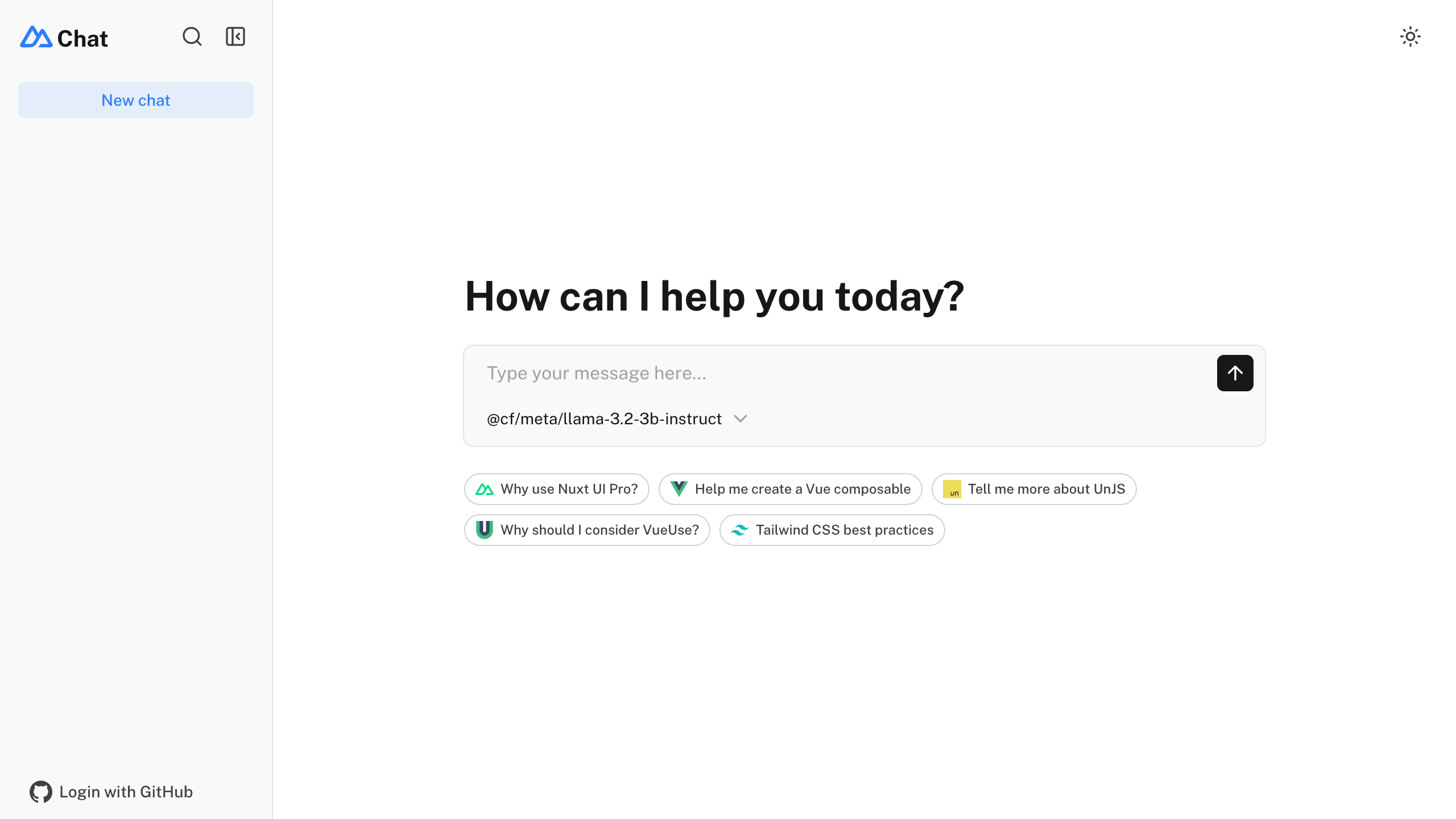
An AI chatbot template to build your own chatbot powered by Nuxt MDC and Vercel AI SDK.
# Nuxt AI Chatbot Template
[](https://ui.nuxt.com)
Full-featured AI Chatbot Nuxt application with authentication, chat history, collapsible sidebar, keyboard shortcuts, light & dark mode, command palette and more. Built using [Nuxt UI](https://ui.nuxt.com) components and integrated with [AI SDK](https://ai-sdk.dev) for a complete chat experience.
- [Live demo](https://chat-template.nuxt.dev/)
- [Documentation](https://ui.nuxt.com/docs/getting-started/installation/nuxt)
> The chat template for Vue is on https://github.com/nuxt-ui-templates/chat-vue.
## Features
- ⚡️ **Streaming AI messages** powered by the [AI SDK](https://ai-sdk.dev) with thinking/reasoning support
- 🤖 **Multiple model support** — Claude Haiku 4.5, Gemini 3 Flash and GPT-5 Nano via [Vercel AI Gateway](https://vercel.com/docs/ai-gateway)
- 🔍 **Web search** with built-in provider tools (Anthropic, OpenAI)
- 📊 **Charts and weather** tool calling with rich UI rendering
- 🔐 **Authentication** via GitHub OAuth using [nuxt-auth-utils](https://github.com/atinux/nuxt-auth-utils)
- 💾 **Chat history persistence** using SQLite database ([Turso](https://turso.tech) in production) and [Drizzle ORM](https://orm.drizzle.team)
- 📎 **File uploads** with drag & drop using [NuxtHub Blob](https://hub.nuxt.com/docs/blob) (requires authentication)
- ✨ **Markdown rendering** with streaming code highlighting via [Comark](https://comark.dev)
## Quick Start
```bash
npm create nuxt@latest -- -t ui/chat
```
## Deploy your own
[](https://vercel.com/new/clone?repository-url=https%3A%2F%2Fgithub.com%2Fnuxt-ui-templates%2Fchat&repository-name=chat&env=NUXT_OAUTH_GITHUB_CLIENT_ID%2CNUXT_OAUTH_GITHUB_CLIENT_SECRET%2CNUXT_SESSION_PASSWORD&stores=%5B%7B%22type%22%3A%22integration%22%2C%22integrationSlug%22%3A%22tursocloud%22%2C%22productSlug%22%3A%22database%22%2C%22protocol%22%3A%22storage%22%7D%2C%7B%22type%22%3A%22blob%22%7D%5D&demo-title=Nuxt+Chat+Template&demo-description=An+AI+chatbot+template+with+GitHub+authentication+and+persistent+chat+history+powered+by+Vercel+AI+SDK.&demo-url=https%3A%2F%2Fchat-template.nuxt.dev&demo-image=https%3A%2F%2Fui.nuxt.com%2Fassets%2Ftemplates%2Fnuxt%2Fchat-dark.png)
## Setup
Make sure to install the dependencies:
```bash
pnpm install
```
Run database migrations:
```bash
pnpm db:migrate
```
> [!NOTE]
> In production, configure your database connection. On Vercel, add the [Turso integration](https://vercel.com/integrations/turso) to automatically provision `TURSO_DATABASE_URL` and `TURSO_AUTH_TOKEN`.
### AI Integration
This template uses the [Vercel AI SDK](https://ai-sdk.dev/) for streaming AI responses with support for multiple providers through [Vercel AI Gateway](https://vercel.com/docs/ai-gateway). When deployed on Vercel, the AI Gateway is configured automatically.
For local development, set your API key in `.env`:
```bash
AI_GATEWAY_API_KEY=
```
> [!TIP]
> With [Vercel AI Gateway](https://vercel.com/docs/ai-gateway), you don't need individual API keys for OpenAI, Anthropic, etc. It provides a unified API to access hundreds of models through a single endpoint with automatic load balancing, fallbacks, and spend monitoring.
### Authentication (Optional)
This template uses [nuxt-auth-utils](https://github.com/atinux/nuxt-auth-utils) for authentication with GitHub OAuth.
To enable authentication, [create a GitHub OAuth application](https://github.com/settings/applications/new) and set:
```bash
NUXT_OAUTH_GITHUB_CLIENT_ID=
NUXT_OAUTH_GITHUB_CLIENT_SECRET=
NUXT_SESSION_PASSWORD=
```
### Blob Storage (Optional)
This template uses [NuxtHub Blob](https://hub.nuxt.com/docs/blob) for file uploads, which supports multiple storage drivers:
- **Local filesystem** (default for development, stored in `.data/blob`)
- **[Vercel Blob](https://vercel.com/docs/vercel-blob)** (auto-configured when deployed to Vercel)
- **[Cloudflare R2](https://hub.nuxt.com/docs/blob#set-a-driver)** (when deployed to Cloudflare)
- **[Amazon S3](https://hub.nuxt.com/docs/blob#set-a-driver)** (with manual configuration)
For **Vercel Blob**, assign a Blob Store to your project from the Vercel dashboard (Project → Storage), then set the token for local development:
```bash
BLOB_READ_WRITE_TOKEN=
```
> [!NOTE]
> File uploads require authentication. See the [NuxtHub Blob documentation](https://hub.nuxt.com/docs/blob#set-a-driver) for configuring other storage drivers.
## Development Server
Start the development server on `http://localhost:3000`:
```bash
pnpm dev
```
## Production
Build the application for production:
```bash
pnpm build
```
Locally preview production build:
```bash
pnpm preview
```
Check out the [deployment documentation](https://nuxt.com/docs/getting-started/deployment) for more information.
## Renovate integration
Install [Renovate GitHub app](https://github.com/apps/renovate/installations/select_target) on your repository and you are good to go.
## Related Templates
### [ChatHN – Chat with Hacker News](https://vercel.com/templates/next.js/chathn)
AI chatbot that uses OpenAI Functions and Vercel AI SDK to interact with the Hacker News API with natural language.
### [Chatbot](https://vercel.com/templates/next.js/chatbot)
A full-featured, hackable Next.js AI chatbot built by Vercel
### [Chatbot UI](https://vercel.com/templates/next.js/chatbot-ui)
A ChatGPT clone for running locally in your browser.
---
## Additional documentation
The [Vercel Knowledge Base](https://vercel.com/kb) contains guides and answers to common questions about Vercel, including deployment, framework configuration, domains, caching, and troubleshooting.