Template name
New Project
Build an eve agent for shared team files on Vercel Drives, with read-only session snapshots and a separate tool for saving files.
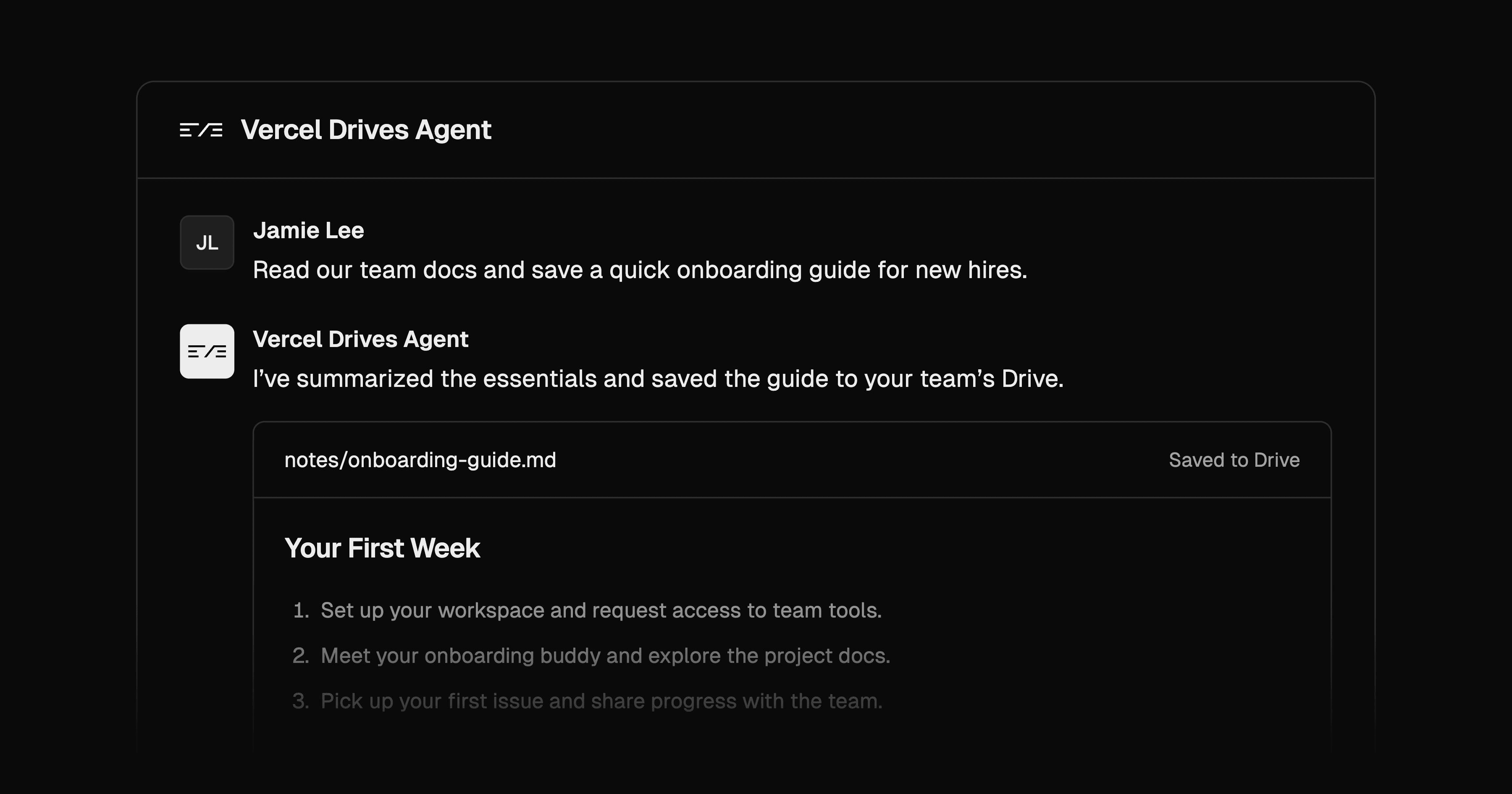
eve Vercel Drives Starter is an AI agent template for reading and saving your team's files from Slack or a terminal. Each session searches a read-only view of a shared Drive. A separate save tool writes notes and documents back to the Drive so later sessions can use them.
Upload team documents, ask the agent to find relevant files, and save the results of a conversation as a new document. The agent searches with shell commands and reads file contents with read_file. You can build AI agents around your own folders by changing the instructions to explain where different kinds of information belong.
When a session first uses its sandbox, the template mounts a read-only Drive snapshot at /drive. A session is one Slack thread or one terminal chat. The snapshot holds the files as they were when mounted, so an upload or save won't necessarily appear in the current conversation.
The save_to_drive tool runs in the application and opens a separate, short-lived sandbox with a read-write mount. It writes the file and stops that sandbox. Only one writer can hold the mount at a time; if another save or upload has it, the tool reports drive_busy and the agent offers to retry.
Persistent files let artificial intelligence agents work with a team's documents across conversations. This starter implements the shared snapshot and separate writer pattern, so reading sessions can coexist while saves hold the write mount only for the work they perform. You get the upload script and save tool together with instructions that explain those boundaries to the agent.
For shared reference material, a stable view during a conversation can be useful. If you're choosing the best AI agent for work that needs every update immediately, account for the need to start a new session after a save.
The eve AI agent framework connects the conversation to tools and a sandbox workspace. Vercel Drives retain the files after a sandbox stops, and Vercel Sandbox mounts them for the agent to read or write.
This template disables outbound network access in its sandboxes and turns off web_fetch and web_search. Slack connects through Vercel Connect.
The deployment flow creates the project and Slack connector without requiring you to define environment variables manually. Follow the repository setup instructions for local credentials and uploads. Upload files before the first reading session. The first upload or save creates the Drive, and a never-written Drive cannot mount.
The upload script overwrites files at matching paths. Local development also reads and writes the same Drive as the deployed agent, so local saves affect shared storage.
Saving does not require approval by default. You can add a save approval policy and customize Drive selection, write tools, or scheduled synchronization.
A Drive needs an initial write before the agent can mount its snapshot. Upload your files or save a document first, then start a new session. The upload script creates the Drive as part of its first write.
Not necessarily. The session reads the version mounted when its sandbox first opened, so later writes may be absent. Start a new Slack thread or terminal chat to read the updated Drive.
Only one sandbox can mount the Drive read-write at a time. The save tool reports drive_busy if another save or upload holds that mount, and the agent can offer to retry. Each successful save uses a separate sandbox that stops after writing.
No. The template denies sandbox network access and disables the web_fetch and web_search tools. Its file-reading workflow uses the documents you put on the Drive.
No. When you follow the repository's local setup and link the deployed project, terminal chats use the same Drive as that deployment. Local saves change files for future deployed sessions.