

Template name
New Project
Build a multi-tenant commerce agent platform over iMessage with separate user accounts, purchase approvals, and price or restock alerts.

eve Commerce Platform is a multi-tenant AI agent template for developers building a shopping service over iMessage. One deployment serves multiple shoppers on a shared line, with separate accounts and private conversations. Its assistant, evey, finds products and prepares Agentcard purchases for the shopper to approve at the final total.
Build a service where shoppers text what they need, compare products, and receive an approval link for their cart. Each shopper signs in with a verified phone number and has a separate profile and agent preferences. A saved delivery address can carry into the purchase flow; Agentcard asks for missing shipping details when needed.
With Kernel configured, the assistant can research public product pages and return a product image or a static preview of extracted information. The preview is not a screenshot of the original storefront. This research worker cannot sign in to merchant accounts or submit checkout; shoppers complete purchases outside Agentcard through the merchant link themselves.
Shoppers can also request a USD price target or restock alert for a public product link. Watches check about hourly for up to 30 days, send one alert, and stop. They never buy the item.
A shopping service built with artificial intelligence agents needs to route requests and order updates to the right person. This template connects verified phone identities to shopper data and Agentcard purchases. You can build AI agents for multiple customers by adapting its instructions and tools while retaining those account and messaging connections.
When choosing the best AI agent for an iMessage commerce service, test the path from a verified shopper's request to an approved order and its follow-up messages. The template gives you that purchase workflow together with a web app for account setup.
The eve AI agent framework runs the assistant's tools, channels, and schedules. On Vercel, eve uses Workflows to persist sessions and resume interrupted work, with AI Gateway providing model access. The template's Next.js setup app and agent share one package and deployment, with shared application logic for shopper data and commerce.
Vercel Connect connects the Linq iMessage line. PostgreSQL stores shopper and commerce records, while private Vercel Blob storage holds persistent agent memory and product images.
Agentcard's signed webhook brings purchase updates back to the originating shopper's conversation. A separate scheduled handler checks due shopping watches and sends alerts through Linq without starting an agent conversation or calling checkout tools.
Start with Agentcard sandbox credentials to test checkout without placing real orders. To enable real purchases, run npx agent-cards credentials --mode production and set AGENTCARD_CLIENT_ID and AGENTCARD_CLIENT_SECRET in your Vercel project’s Production environment. Keep sandbox credentials in Preview. The deploy flow asks for Agentcard client credentials and connects Linq, Kernel, Neon, and private Blob. Kernel is optional for public-page research. The included five-minute watch schedule requires a Vercel Pro team under the Cron Jobs plan limits; individual watches still check about hourly.
Purchase updates require separate setup. Register /agentcard/webhooks on your deployment in the Agentcard dashboard, set AGENTCARD_WEBHOOK_SECRET, and redeploy. Follow the deployment guide to isolate preview databases, Blob stores, and messaging resources from production, and use sandbox purchase credentials for previews.
Before inviting shoppers, test two verified phone numbers, an approved sandbox purchase, and delivery of its signed update to the correct person.
Yes. A shared Linq line serves separate shopper accounts, each linked to a verified phone number. Incoming direct messages resolve to that shopper's identity and conversation. Group chats and messages from unverified numbers do not start agent conversations.
Agentcard places the order once the shopper approves the final total through its approval link. The shopper enters payment-card details on Agentcard's page, and evey never receives the card number.
No. The optional browser worker reads anonymous public pages and can return product images or static previews. It has no signed-in browser session and cannot fill forms, change carts, or submit orders. It returns a merchant link for the shopper to complete checkout themselves.
Yes. Send a public product URL and request a price or restock watch. The page must expose a verifiable offer, with a USD price for price watches; targets exclude tax and shipping. Checks run roughly hourly, expire after 30 days, and stop after one alert without purchasing anything.
The Next.js app handles sign-in and account setup; shopping conversations happen in iMessage. A shopper verifies their phone number, then sends the connected line a direct message. Linq sandbox lines may require an initial text before a sign-in code can be delivered.

Manage Contentful from Slack with eve. Query synced content, edit drafts, upload assets, and review publication requests.
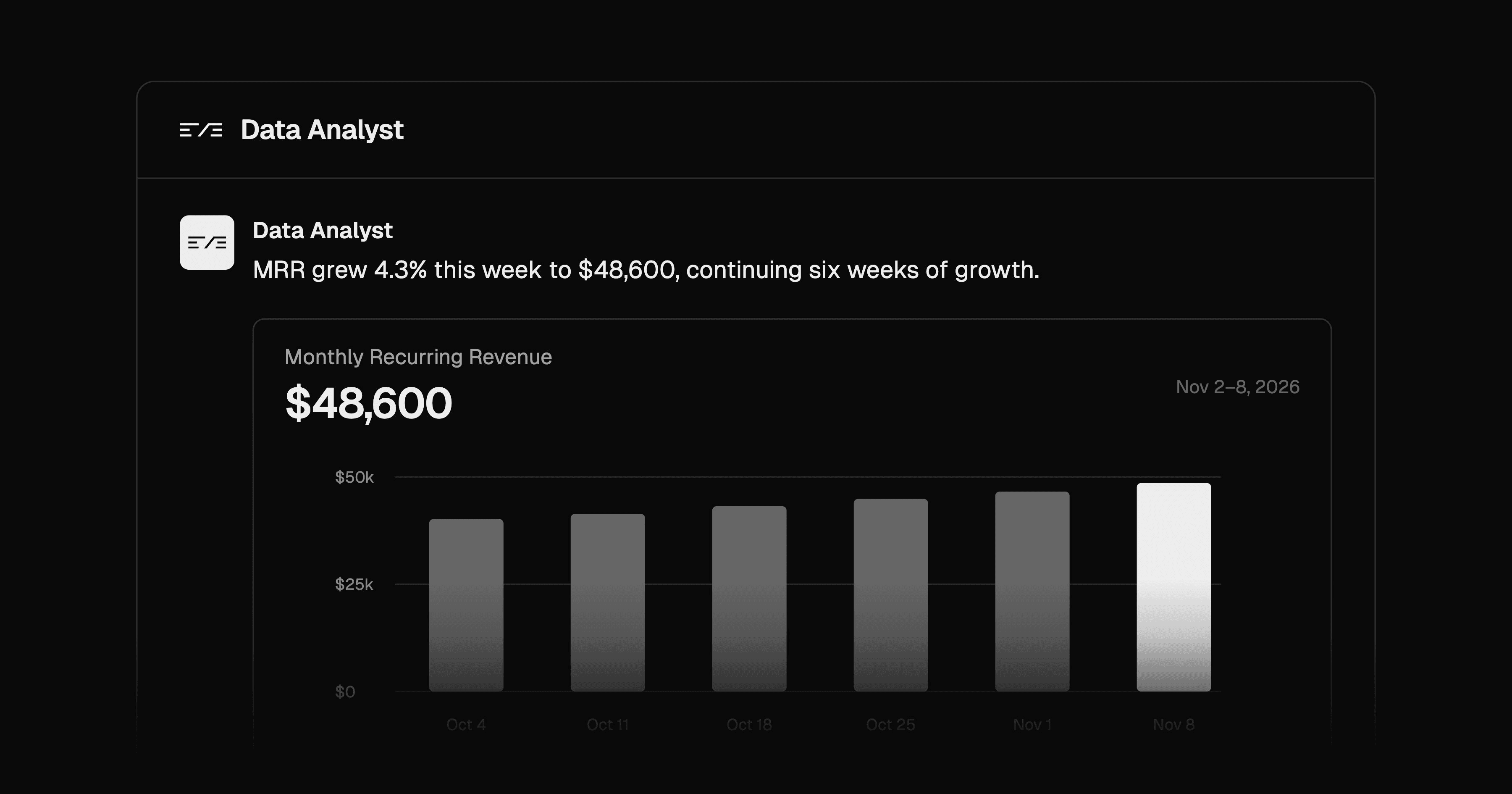
Ask data questions in Slack and get Postgres-backed answers with charts and SQL evidence. Configure metrics, roles, and query approvals.
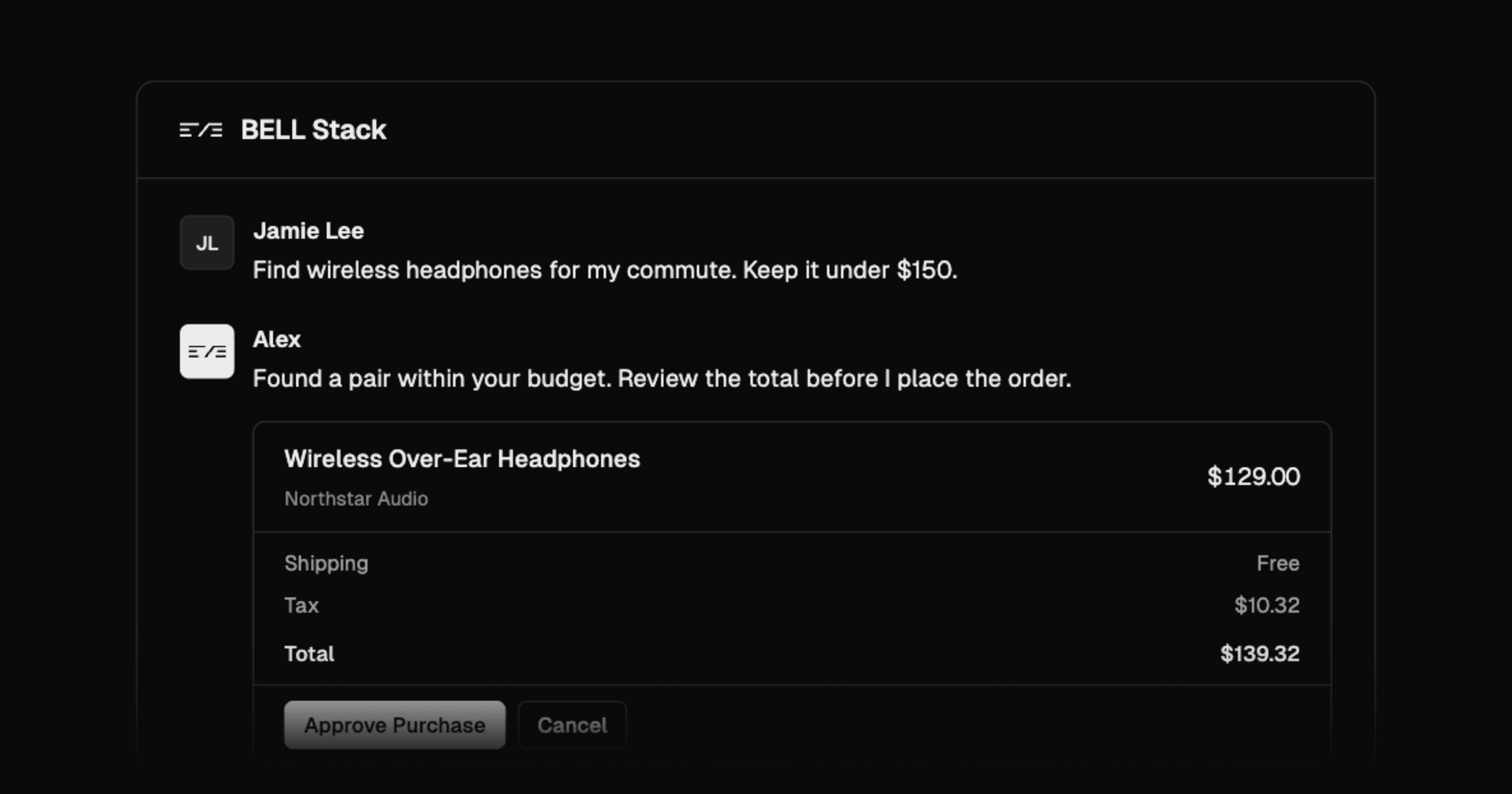
Build a personal browser and messaging assistant with Browserbase, eve, Link by Stripe, and Linq for one trusted operator.
