Morphic
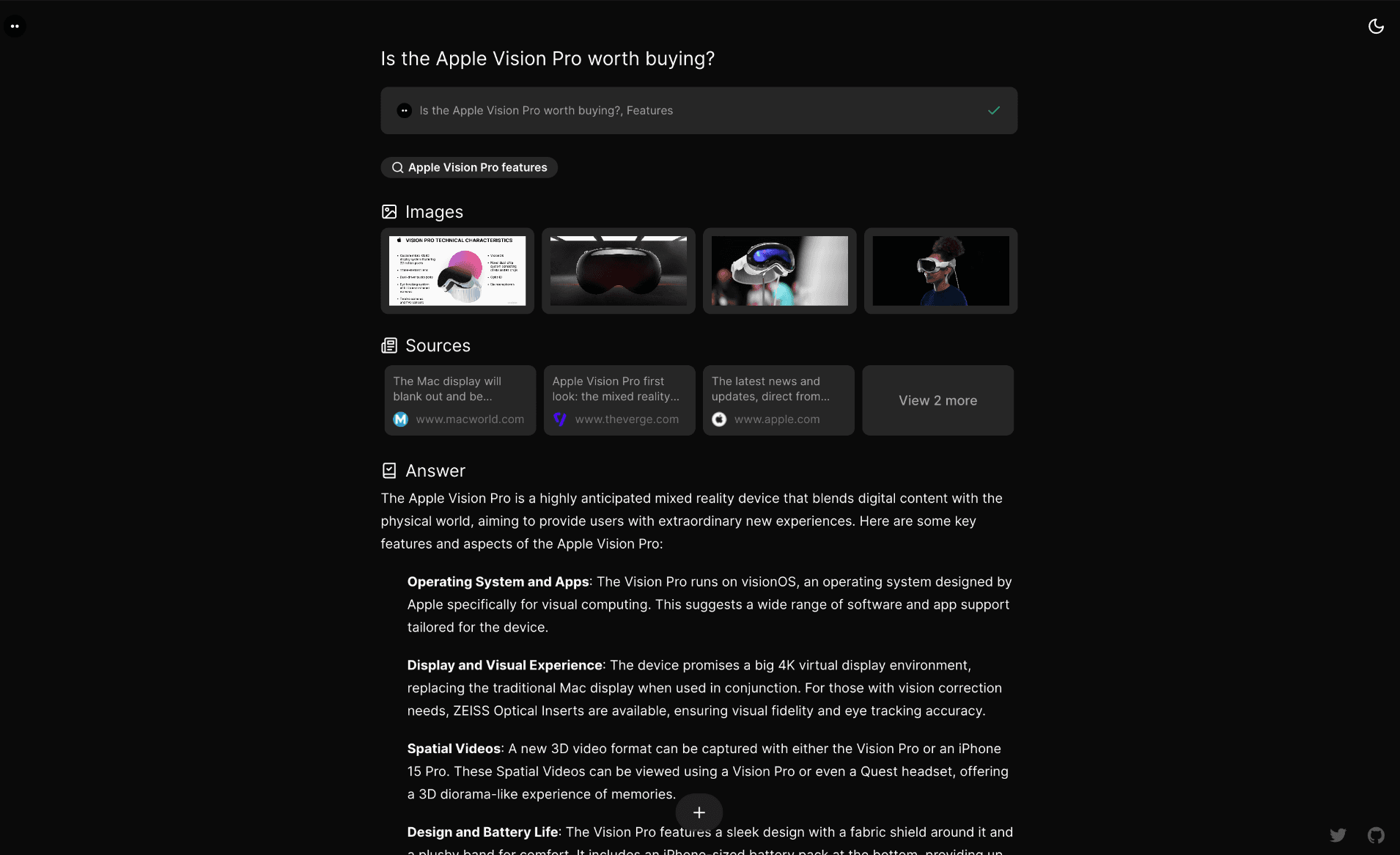
An AI-powered search engine with a generative UI.
Features
- AI-powered search with GenerativeUI
- Search modes: Quick and Adaptive
- Model selector with dynamic provider detection (OpenAI, Anthropic, Google, Ollama, Vercel AI Gateway)
- Multiple search providers (Tavily, SearXNG, Brave, Exa)
- Chat history stored in PostgreSQL
- Share search results with unique URLs
- File upload support
- User authentication with Supabase Auth
- Guest mode for anonymous usage
- Docker deployment ready
Installation
Docker (Recommended)
The quickest way to run Morphic locally:
docker pull ghcr.io/miurla/morphic:latestThen set up with Docker Compose:
- Clone the repository and configure environment:
git clone https://github.com/miurla/morphic.gitcd morphiccp .env.local.example .env.local- Edit
.env.localand set at least one AI provider API key:
OPENAI_API_KEY=your_openai_keySee supported providers for other options (Anthropic, Google, Ollama, Vercel AI Gateway).
- Start all services:
docker compose up -d- Visit http://localhost:3000 and select your model from the model selector.
Docker Compose starts PostgreSQL, Redis, SearXNG, and Morphic automatically. No additional search API key is needed — SearXNG is included.
See the Docker Guide for more options including building from source and file upload configuration.
Local Development
- Clone and install:
git clone https://github.com/miurla/morphic.gitcd morphicbun install- Configure environment:
cp .env.local.example .env.localEdit .env.local and set your API keys:
OPENAI_API_KEY=your_openai_keyTAVILY_API_KEY=your_tavily_keyTo enable chat history, authentication, file upload, and other features, see CONFIGURATION.md.
- Start the dev server:
bun devVisit http://localhost:3000.
Deploy
Vercel
Contributing
We welcome contributions! Please see our Contributing Guide for details on how to get started, including local development setup.
License
This project is licensed under the Apache License 2.0 - see the LICENSE file for details.