

Template name
New Project
Fork your own personal agent. One identity across web, Slack, and iMessage, with memory you can import, edit, and approve.
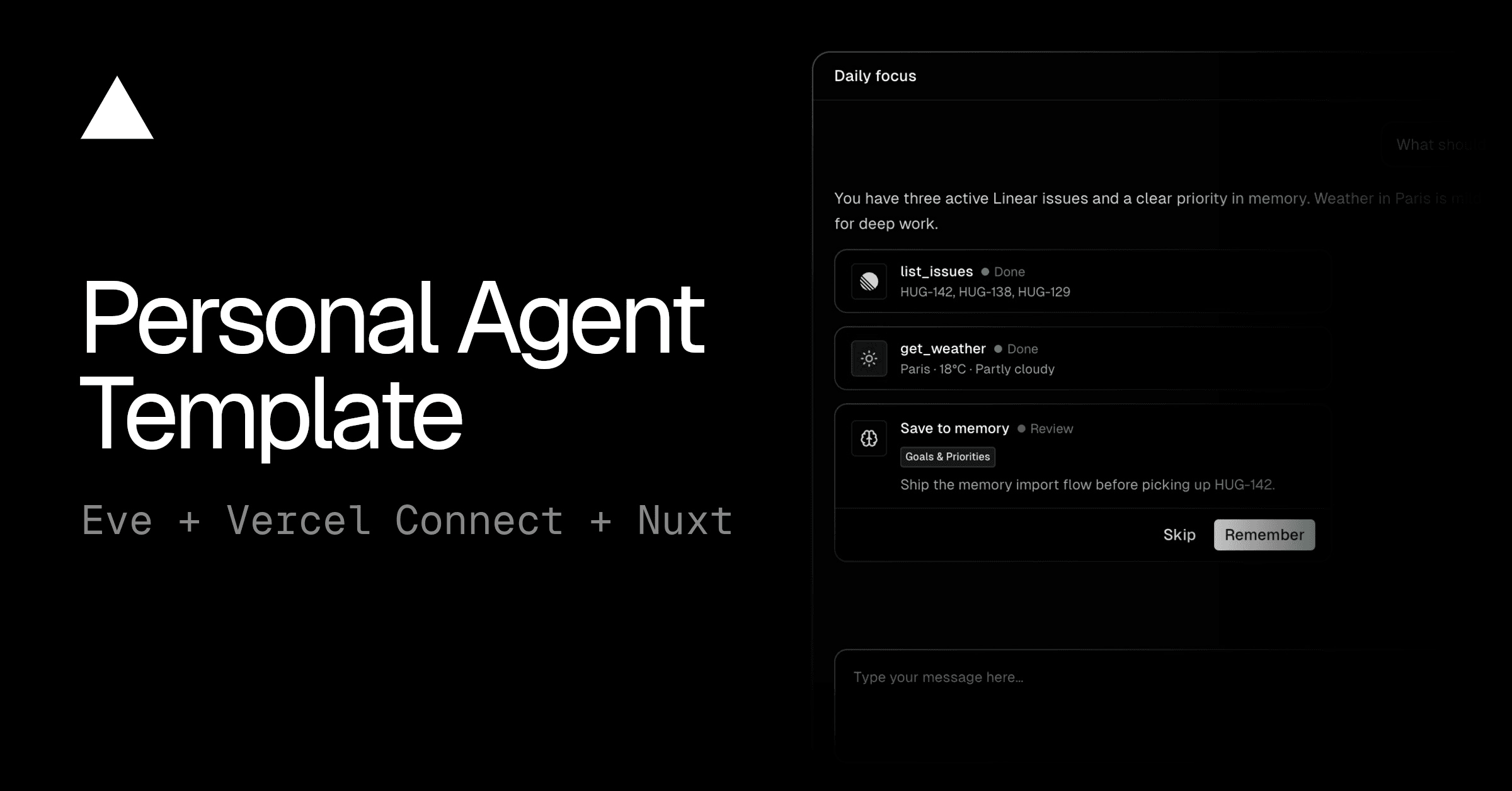
The Personal Agent Template is an open source starter for building your own AI assistant that remembers you across web chat, Slack, and iMessage.
It runs on eve, Vercel's durable agent framework, and connects to GitHub and Linear so the agent can work with your repositories and issues. The template ships with an example persona called V, which you can rename and reshape to fit how you work.
Every message, whether it comes from web chat, Slack, or iMessage, reaches the same agent. Before each turn, the agent recalls your memory, then calls tools such as GitHub, Linear, or weather when the request needs them. Vercel Connect handles sign-in and credentials for each integration, and you connect accounts from the agent's Settings page.
Memory belongs to each signed-in user and lives in private Vercel Blob storage. When the agent saves something, it tells you in one line so you can correct it, and it removes or replaces entries when you ask.
It's an open source template for building a personal AI assistant on Vercel. You get web chat, Slack and iMessage channels, GitHub and Linear integrations, and per-user memory in one codebase, with an example persona named V to start from.
Yes. The agent saves stable facts and preferences to a memory document tied to your account and recalls it before every turn. Memory sits outside the conversation history, so it stays intact when a long conversation is condensed to fit the model's context.
You can use the web chat, Slack DMs and @mentions, and iMessage through Photon. After you link your Slack account or add your phone number to your profile, the agent uses the same memory and integrations on every channel.
The agent can look up repositories, pull requests, issues, commits, and CI status, and it can take actions such as creating issues. It runs each request with your own GitHub token, so it can only do what your account can do. Destructive actions such as merging pull requests, closing issues, and editing files wait for your approval.
The agent can list and summarize issues, projects, and cycles, including the issues assigned to you that aren't done yet. It always queries Linear for current data rather than relying on what it remembers.
Each user's memory is stored separately in private storage. A Slack account or phone number that isn't linked to a profile still gets replies, but without access to your memory or connected accounts. The optional persistent workspace is limited to web chat, because other people can join Slack threads and group chats.
Yes. The model is set in a single agent config file, so you can switch providers or models by changing one value.
No. The web chat works on its own, and each integration is optional. You can connect them later from Settings when you need them.
Give your team a Sanity copilot in Slack. It runs GROQ, edits schemas, manages releases, and asks before it touches production.
Marketing team in Slack: one lead, five specialists. Blog drafts in Notion, posts in Typefully, campaigns in Resend, on approval.

Turn your style guide into a Slack agent. Drafts blogs, social posts, release notes, and newsletters in your house voice, lint-enforced.
