eve with Vercel Connect
Vercel Connect is available on all plans and is subject to the Vercel Connect terms
The @vercel/connect/eve entrypoint adapts Vercel Connect credentials to
eve's connection and channel APIs. It uses your deployment's
Vercel OIDC token to request provider
tokens, so your app doesn't store provider refresh tokens.
The entrypoint supports three integration points where eve can use Vercel Connect:
- Channel credentials: The
connect<Channel>Credentials()helpers resolve app-scoped credentials for eve channels and verify Connect-forwarded webhooks with a Vercel OIDC token instead of the provider's native signature. - MCP client connections:
connect()returns theauthvalue fordefineMcpClientConnection. eve requests a provider token for each principal and coordinates interactive consent when a user needs to authorize. - Inbound OAuth routes:
connectOAuth()authenticates bearer tokens that the Vercel Connect OAuth gateway issues to callers of your eve routes.
Install both packages in your eve project:
pnpm add @vercel/connect eveLink your project and pull a development OIDC token before running locally:
vercel link
vercel env pullThe channel credential helpers request app-scoped credentials and return the shape expected by the matching eve channel:
| Channel | Helper | Credentials it resolves |
|---|---|---|
| Slack | connectSlackCredentials | Slack bot token and Vercel OIDC webhook verifier |
| Discord | connectDiscordCredentials | Discord bot token, application ID, and Vercel OIDC webhook verifier |
| Microsoft Teams | connectTeamsCredentials | Teams bot credentials and Vercel OIDC webhook verifier |
| GitHub | connectGitHubCredentials | GitHub installation token and Vercel OIDC webhook verifier |
| Linear | connectLinearCredentials | Linear access token and Vercel OIDC webhook verifier |
| Linq | connectLinqCredentials | Linq API key and Vercel OIDC webhook verifier |
| Photon | connectPhotonCredentials | Photon project ID and project secret, resolved lazily |
The helpers pin the subject to { type: 'app' }, so callers cannot replace it
with a user subject. The webhook verifiers check the Vercel OIDC token that a
Connect trigger adds to forwarded requests,
not the provider's native signature.
Run eve add channel/<name> to scaffold a channel. For channels that offer
credential options, choose Vercel Connect when prompted. The guided Connect
flow signs you in to Vercel, creates or links your project, creates or reuses
the connector, and registers the channel's webhook route, such as
/eve/v1/slack, as a trigger destination. To manage connectors and project
links yourself, use the vercel connect CLI instead.
connectSlackCredentials resolves the bot token and supplies the webhook
verifier, so you don't set SLACK_BOT_TOKEN or SLACK_SIGNING_SECRET. Token
rotation, multi-workspace tenancy, and request verification stay inside
Connect:
import { connectSlackCredentials } from '@vercel/connect/eve';
import { slackChannel } from 'eve/channels/slack';

export default slackChannel({
  credentials: connectSlackCredentials('slack/my-agent'),
});connectDiscordCredentials resolves the bot token and application ID lazily,
so you don't set DISCORD_BOT_TOKEN, DISCORD_APPLICATION_ID, or
DISCORD_PUBLIC_KEY. The verifier checks forwarded interactions with
same-project Vercel OIDC instead of the Discord public key:
import { connectDiscordCredentials } from '@vercel/connect/eve';
import { discordChannel } from 'eve/channels/discord';

export default discordChannel({
  credentials: connectDiscordCredentials('discord/my-agent'),
});connectTeamsCredentials resolves bot credentials and supplies the webhook
verifier. Connect manages the Azure Bot resource and Microsoft Entra app, so
you don't need to store a client secret. The verifier checks forwarded
activities with Vercel OIDC:
import { connectTeamsCredentials } from '@vercel/connect/eve';
import { teamsChannel } from 'eve/channels/teams';

export default teamsChannel({
  credentials: connectTeamsCredentials('microsoft-teams/my-agent'),
});import { connectTeamsCredentials } from '@vercel/connect/eve';
import { teamsChannel } from 'eve/channels/teams';
export default teamsChannel({
credentials: connectTeamsCredentials('microsoft-teams/my-agent'),
});connectGitHubCredentials resolves a GitHub installation token directly, so
eve skips the App JSON Web Token exchange and you don't set GITHUB_APP_ID,
GITHUB_APP_PRIVATE_KEY, or GITHUB_WEBHOOK_SECRET:
import { connectGitHubCredentials } from '@vercel/connect/eve';
import { githubChannel } from 'eve/channels/github';

export default githubChannel({
  botName: 'my-agent',
  credentials: connectGitHubCredentials('github/my-agent'),
});
The channel receives and answers GitHub events. To let the agent read and change repositories, see Give the agent GitHub tools.
Set up with eve add channel/linear-agent. Connect owns the Linear app and
its token, so you don't set LINEAR_ACCESS_TOKEN or LINEAR_WEBHOOK_SECRET.
The verifier checks forwarded webhooks with Vercel OIDC instead of the
Linear-Signature HMAC:
import { connectLinearCredentials } from '@vercel/connect/eve';
import { linearChannel } from 'eve/channels/linear';

export default linearChannel({
  credentials: connectLinearCredentials('linear/my-agent'),
});
The channel receives inbound Linear Agent Sessions, but it does not expose Linear issues, projects, cycles, and comments as tools. Add a separate MCP client connection:
import { connect } from '@vercel/connect/eve';
import { defineMcpClientConnection } from 'eve/connections';

export default defineMcpClientConnection({
  url: 'https://mcp.linear.app/mcp',
  description: 'Linear issues, projects, cycles, and comments.',
  auth: connect('linear/my-agent'),
});
See Authorize an MCP connection to choose user- or app-scoped authorization and configure consent.
During setup, eve can create a managed Linq account and line, or connect an
existing one with a partner API token, and then fetches your assigned phone
numbers. connectLinqCredentials resolves the API key, so you don't set
LINQ_API_KEY or LINQ_WEBHOOK_SECRET:
import { connectLinqCredentials } from '@vercel/connect/eve';
import { linqChannel } from 'eve/channels/linq';

export default linqChannel({
  credentials: connectLinqCredentials('linq/my-agent'),
});Set up with eve add channel/photon-imessage. connectPhotonCredentials
resolves the Photon project ID and project secret when the adapter first
initializes, so you don't set IMESSAGE_PROJECT_ID, IMESSAGE_PROJECT_SECRET,
or IMESSAGE_WEBHOOK_SECRET. The channel verifies forwarded webhooks with
same-project Vercel OIDC by default:
import { connectPhotonCredentials } from '@vercel/connect/eve';
import { photonIMessageChannel } from 'eve/channels/photon';

export default photonIMessageChannel({
  credentials: connectPhotonCredentials('photon/my-agent'),
});Each helper accepts Connect token parameters, such as scopes and
installationId, as its second argument. connectTeamsCredentials does not
accept scopes, because it always requests the Microsoft Bot Framework scope. For a multi-workspace or
multi-organization connector, select an
installation:
import { connectSlackCredentials } from '@vercel/connect/eve';
import { slackChannel } from 'eve/channels/slack';

export default slackChannel({
  credentials: connectSlackCredentials('slack/my-agent', {
    installationId: 'inst_workspace_xyz',
    scopes: ['chat:write'],
  }),
});
If you omit installationId, Connect uses the connector's default
installation. You cannot override the app subject.
- Preview deployments: Connect forwards triggers to deployed URLs, not
localhost. To receive triggers on Preview, register the branch with--triggers --git-branch <branch> --trigger-path /eve/v1/<channel>. Registering the branch also enablespreviewon the project link, so the Preview deployment can request credentials. If you pass--environment, list every environment that needs access, because the option replaces the environments on the project link. Use a separate connector and select its UID at runtime withVERCEL_ENVonly when you need to isolate Preview traffic from Production. - Trigger destinations: Each connector supports up to three trigger
destinations, and creating a connector with
--triggersregisters a default production destination. - Detaching:
vercel connect detachremoves token access and removes the project's trigger destinations from the connector.
User-scoped connections require the channel that starts or resumes the session
to authenticate the caller as a user principal. Built-in platform channels
derive this principal from the sender. For a web app, configure the eve
channel's route authentication to return principalType: 'user'. Without an
authenticated user principal, the first user-scoped connection call fails with
reason: 'principal_required'. See
eve authentication
for route authentication options.
Pass connect() directly to defineMcpClientConnection. The string can be a
connector UID, such as linear/my-agent, or an opaque scl_... connector ID:
import { connect } from '@vercel/connect/eve';
import { defineMcpClientConnection } from 'eve/connections';

export default defineMcpClientConnection({
  url: 'https://mcp.linear.app/mcp',
  description: 'Linear issues, projects, cycles, and comments.',
  auth: connect('linear/my-agent'),
});
The default principal type is user. eve resolves the current user, and the
helper maps that principal to this Vercel Connect subject:
{ type: 'user', id: principal.id, issuer: principal.issuer }Vercel Connect keeps a separate grant for each subject. See Tokens for how subjects scope provider tokens.
Use a user principal when each person authorizes their own provider account. This mode supports interactive consent and is the default:
auth: connect({
  connector: 'linear/my-agent',
  principalType: 'user',
}),
Use an app principal when the agent shares one installed credential. App authorization is non-interactive, so eve only requests a token and never starts a user consent flow:
auth: connect({
  connector: 'oauth/internal-status',
  principalType: 'app',
}),
App principals map to { type: 'app' }. If the connector has no app
credential, eve reports a non-retryable authorization failure that an operator
must resolve.
Use createSubject when the default user or app subject does not match your
connector. For example, a JWT bearer connector can use eve's user ID and
issuer:
auth: connect({
  connector: 'oauth/internal-api',
  createSubject(principal) {
    if (principal.type !== 'user') {
      throw new Error('This connection requires a user principal.');
    }

    return {
      type: 'jwt-bearer',
      sub: principal.id,
      iss: principal.issuer,
    };
  },
}),
The callback also receives the connection context as its second argument. Use
that context when the subject depends on the MCP server URL. Prefer
createSubject over the deprecated principalToSubject option.
connect() sets autoProvision to false by default. Set it to true to
opt in to runtime provisioning. When a token or authorization request reports
a missing connector or project link, the helper uses the eve connection URL
and deployment OIDC token to create or link a managed OAuth connector, then
retries the request. The new project link uses the environment authenticated
by the OIDC token.
Automatic provisioning only runs for a provisionable connector UID and a
connection with a URL. It skips opaque scl_... IDs. To enable it:
auth: connect({
  connector: 'linear/my-agent',
  autoProvision: true,
}),
If you manage connectors and
project links separately, leave
autoProvision at its default of false.
For a user principal, eve and Vercel Connect coordinate consent:
- eve calls
getToken. If the user has no valid grant, the helper tells eve that authorization is required. - eve calls
startAuthorization, suspends the turn, and presents the returned authorization URL or device code. - Vercel Connect completes OAuth and resumes eve through the callback or secure webhook.
- eve calls
completeAuthorization. The helper requests the token again because Vercel Connect is the authoritative source.
eve supplies the default instruction, Authorize <ConnectionName> in your browser to continue. Override the provider name or instruction when your
flow needs more context:
auth: connect({
  connector: 'linear/my-agent',
  displayName: 'Linear',
  instructions:
    'Authorize Linear to read issues and add comments for this request.',
}),
A missing connector installation produces a non-retryable failure. A failed completion remains retryable, so eve can offer consent again.
By default, the SDK reuses an unexpired token from its in-process cache. Set
validate: true to bypass that cache on every getToken call and check the
grant with Vercel Connect:
const auth = connect({
  connector: 'linear/my-agent',
  validate: true,
});
This adds a network request, but it prevents sensitive actions from using a grant that the user revoked before its token expired.
Every authorization returned by connect() also has an evict() method.
eve uses local eviction when an MCP server rejects a bearer token. Local
eviction preserves the grant and refresh token, so the next request can fetch
a replacement token.
For a user-initiated disconnect, pass revoke: true to remove the grant at
Vercel Connect and clear the local cache:
import {
  connect,
  type EveConnectionAuthorizationContext,
} from '@vercel/connect/eve';
import {
  defineMcpClientConnection,
  type ConnectionPrincipal,
} from 'eve/connections';

export const linearAuth = connect('linear/my-agent');

export async function disconnectLinear(
  principal: ConnectionPrincipal,
  connection: EveConnectionAuthorizationContext,
) {
  await linearAuth.evict({
    principal,
    connection,
    revoke: true,
  });
}

export default defineMcpClientConnection({
  url: 'https://mcp.linear.app/mcp',
  description: 'Linear issues, projects, cycles, and comments.',
  auth: linearAuth,
});
Revocation is destructive and best-effort. The helper still removes the local cache entry if the server-side revoke fails.
The GitHub Tools eve extension
adds tools for reading and changing repositories, issues, and pull requests.
It's a separate package from @vercel/connect/eve, and it can use the same
GitHub connector as the GitHub channel. Install it next to
@vercel/connect 2.7.0 or later and eve 1.0.0-rc.6 or later:
pnpm add @github-tools/eve-extensionMount the extension and pass the connector's name:
import githubExtension from '@github-tools/eve-extension';

export default githubExtension({
  connector: 'github/my-agent',
  preset: 'issue-triage',
  actAs: { read: 'app', write: 'caller' },
});
Each tool call requests a short-lived token that covers only the selected tools. Two options decide what that token can reach:
presetselects the tools the model can call. The connector's GitHub App needs the permissions of every selected tool.actAschooses whose GitHub access a call uses. The default,'app', uses the App's installation token for every caller. With the value above, reads use the App. Writes use the signed-in user's own token when a user drives the turn, and the App's token when nobody does, such as in a scheduled run. A user who hasn't authorized the App gets a sign-in prompt, and the call resumes after they authorize.
When a turn starts from the GitHub channel, the extension fills in the repository and the issue or pull request number from the thread, so the model can leave them out of tool calls.
Every write tool asks for approval before it runs, and eve pauses the session until someone answers. See the extension's documentation to set approval for each tool and limit the repositories and branches the tools can reach.
connectOAuth() solves a separate problem from connect(). It returns an eve
route authentication callback for inbound bearer tokens issued by the Vercel
Connect OAuth gateway. It does not authorize an MCP client connection.
Create the callback and pass it to an eve route option that accepts
AuthFn<Request>:
import { connectOAuth } from '@vercel/connect/eve';

export const auth = connectOAuth({
  connectors: ['oauth/linear'],
  tenantIds: ['tenant_123'],
});
The callback verifies the token's signature, the
https://connect.vercel.com issuer, and the typ: "at" access-token claim.
By default, it accepts audiences for the current VERCEL_PROJECT_ID and
deployment environment from VERCEL_TARGET_ENV or VERCEL_ENV.
Use audiences for exact audience values, or set projectId and
environment explicitly. You can also restrict subjects, connectors,
tenantIds, installationIds, and additional claims. Invalid, missing, or
out-of-policy bearer tokens return no authenticated session.
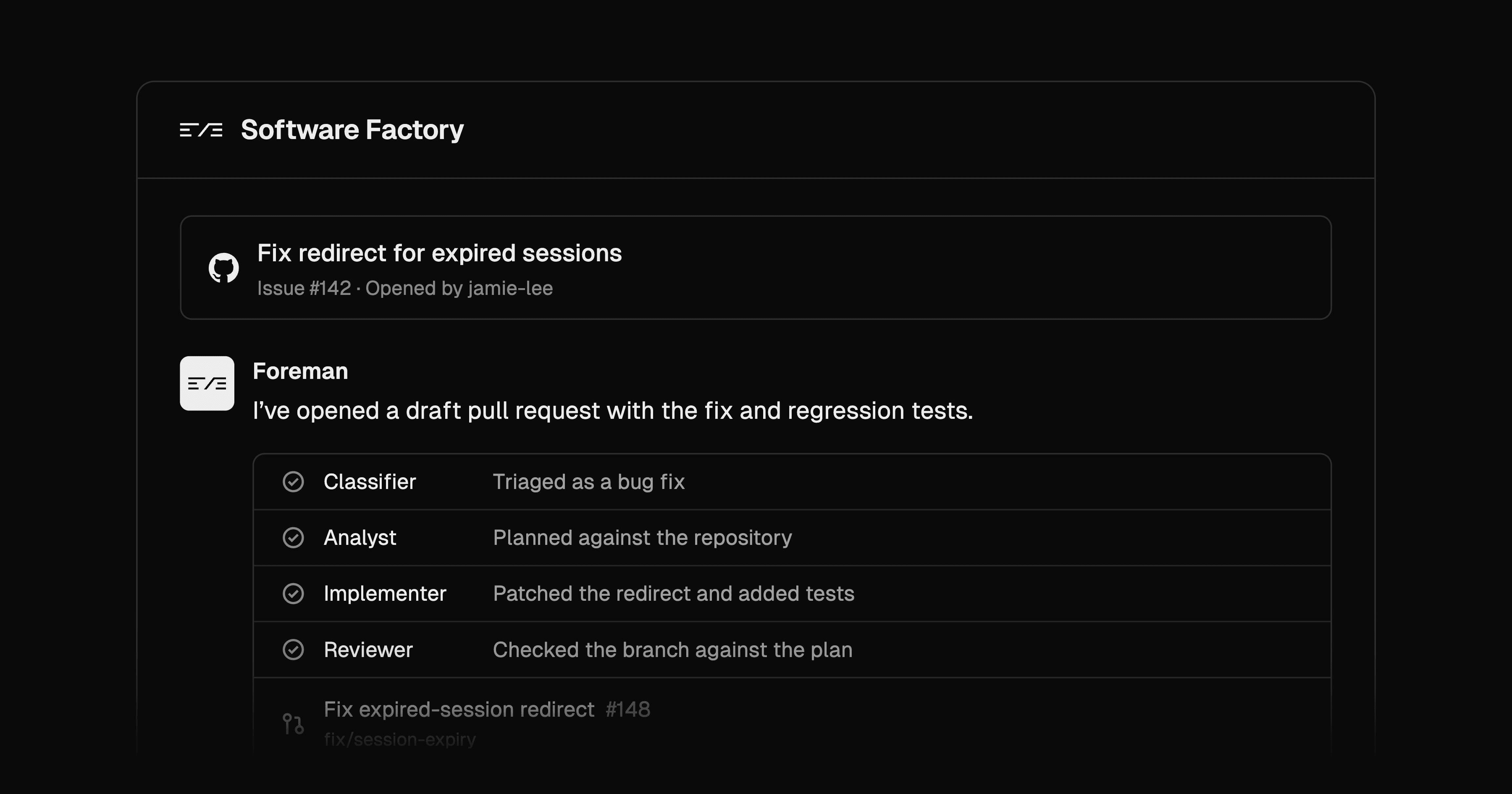
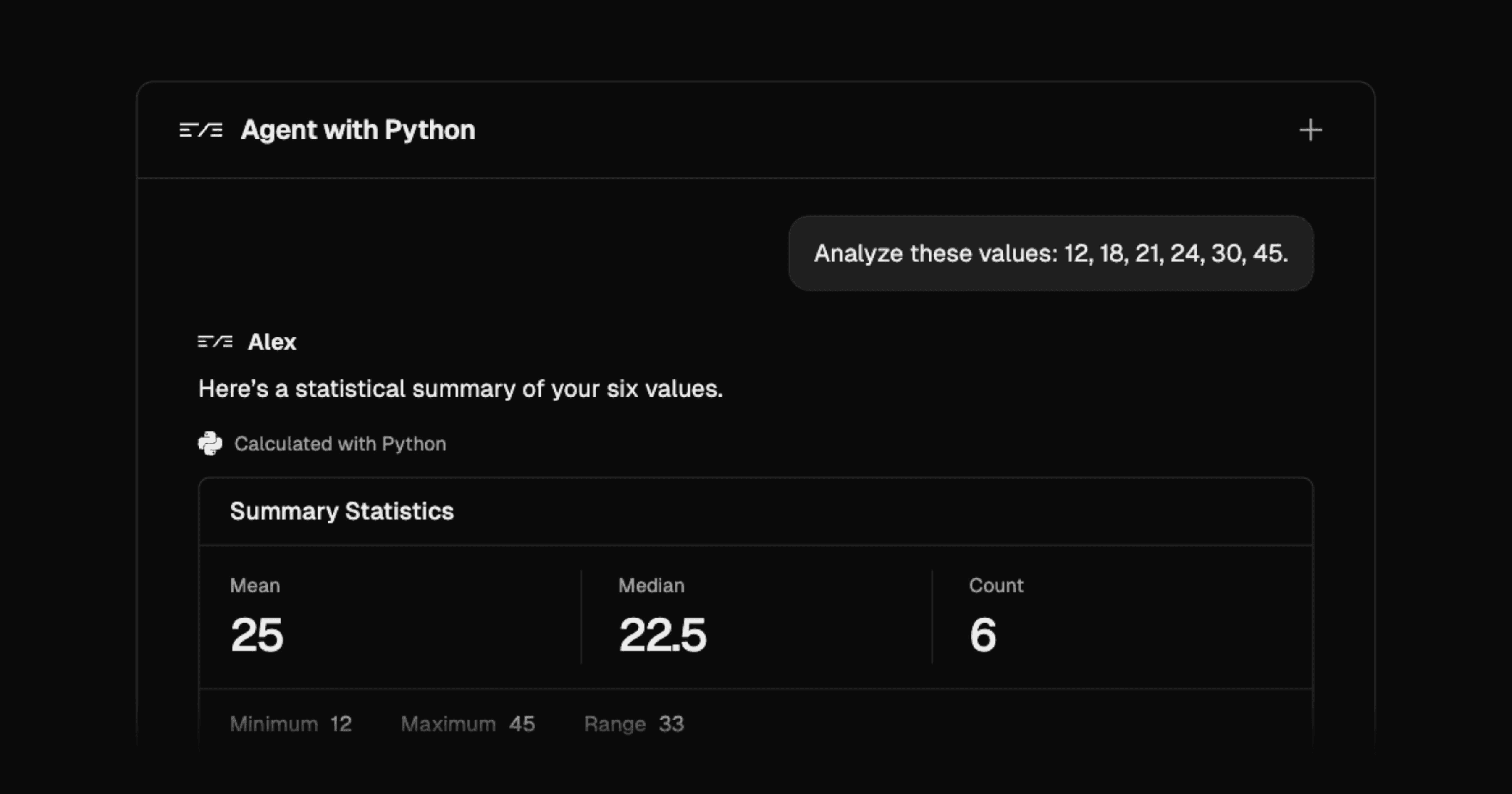
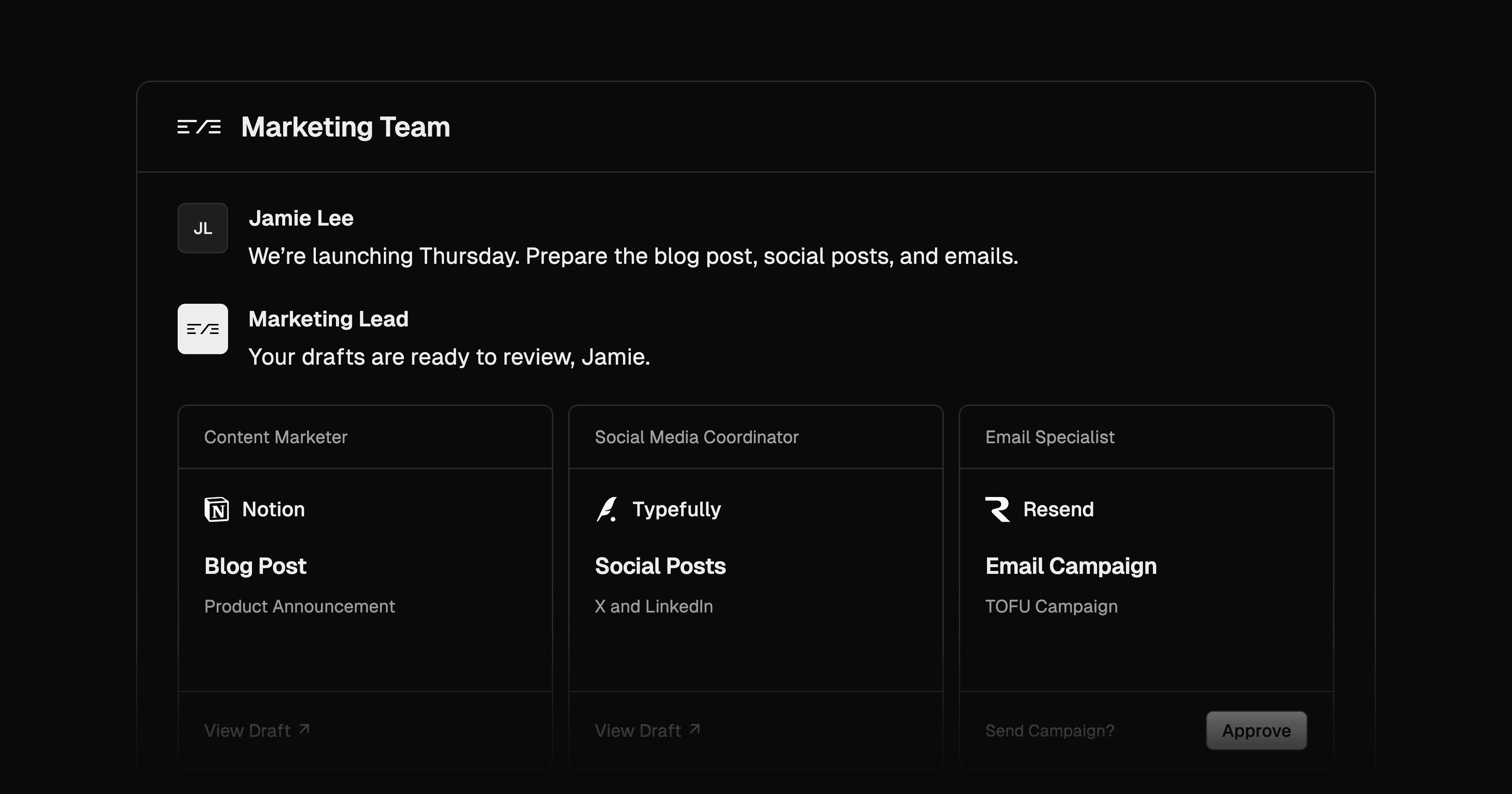
Deploy an eve software factory, agent with Python tools, or marketing team on Vercel. Use the integration above to manage access to third-party services with Vercel Connect:
No, not for channels configured with a Connect credential helper. For example, connectSlackCredentials replaces SLACK_BOT_TOKEN and SLACK_SIGNING_SECRET, and connectGitHubCredentials replaces GITHUB_APP_ID, GITHUB_APP_PRIVATE_KEY, and GITHUB_WEBHOOK_SECRET. The helpers request app-scoped credentials from Vercel Connect. Their webhook verifiers check the Vercel OIDC token that a Connect trigger adds to each forwarded request. See Check channel capabilities.
eve suspends the turn. When a user-scoped connection has no valid grant, eve calls startAuthorization and shows the user an authorization URL or device code. On Vercel, each eve session runs on Vercel Workflows, which persists the suspended session without a separate database or queue. After Vercel Connect completes OAuth, it resumes eve, and eve requests the token again. See Understand the consent lifecycle.
Use a user principal, the default, when each person should act through their own provider account. eve maps the principal to a Connect user subject and handles interactive consent. Use principalType: 'app' when the agent shares one installed credential. App authorization never starts a consent flow, and it fails with a non-retryable error if the connector has no app credential. See Choose user or app authorization.
Preview deployments can receive triggers, but localhost can't, because Vercel Connect forwards triggers only to deployed URLs. Register the branch with vercel connect attach and --triggers --git-branch <branch> --trigger-path /eve/v1/<channel>, which also enables preview on the project link. Each connector supports up to three trigger destinations. See Account for delivery limitations.
No. On Vercel, eve authenticates model requests to AI Gateway with the project's OIDC identity, and @vercel/connect/eve uses the deployment's OIDC token to request provider tokens. Neither needs a model provider API key or a stored provider refresh token. For local runs, link the project and run vercel env pull to get a development token for Vercel Connect. See eve on Vercel.
- Connect quickstart: Create and link a connector.
- SDK reference: Review token parameters and errors.
- Authentication: Understand Vercel OIDC and project-link enforcement.
Was this helpful?