Bring Your Own Key (BYOK) to AI Gateway
Using your own credentials with an external AI provider allows AI Gateway to authenticate requests on your behalf with no added markup. This approach is useful for using credits provided by the AI provider or executing AI queries that access private cloud data. If a query using your credentials fails, AI Gateway will retry the query with Vercel's provider keys, the credentials Vercel holds with each provider, to improve service availability. When ZDR is enabled, this fallback is limited to Vercel's ZDR-eligible provider keys. This fallback is on by default. To keep requests on your own credentials, turn off Fallback to Vercel Keys.
Integrating credentials like this with AI Gateway is sometimes referred to as Bring-Your-Own-Key, or BYOK. In the Vercel dashboard this feature is found in the AI Gateway section in the sidebar under the Bring Your Own Key (BYOK) section in the sidebar.
Provider credentials are scoped to be available throughout your Vercel team, so you can use the same credentials across multiple projects.
Spend through your own credentials isn't counted in budgets. It's metered separately and doesn't count toward a team, project, or API key limit, so a budget can't be used to cap BYOK spend. The BYOK without fallback fee is the exception: AI Gateway deducts it from your AI Gateway Credits, and it counts toward budgets. After a budget is exceeded, AI Gateway rejects every request in that budget's scope, including BYOK requests.
First, retrieve credentials from your AI provider. AI Gateway uses these credentials first to authenticate requests to that provider. If a query made with your credentials fails, AI Gateway will re-attempt with Vercel's provider keys, aiming to provide improved availability. To turn off this fallback, see Fallback to Vercel Keys.
- Go to the AI Gateway Bring Your Own Key (BYOK) page in your Vercel dashboard.
- Find your provider from the list and click Add Key.
- In the dialog that appears, enter the credentials you retrieved from the provider.
- Click Test API Key to validate and add your credentials. AI Gateway enables new credentials by default.
Once you add credentials, AI Gateway automatically includes them in your requests. You can now use these credentials to authenticate your requests.
Eligible ChatGPT Pro and Business subscribers and Claude Max and Team subscribers can claim API credits in a linked provider organization. Use a key from that organization with BYOK so eligible requests can draw from the grant. The credits stay with OpenAI or Anthropic, separate from your AI Gateway Credits balance.
Follow the walkthrough for your subscription to check eligibility, claim the grant, and connect the credited organization's key:
After claiming the grant:
- Add the organization's OpenAI or Anthropic key using the steps above. For dashboard credentials, confirm that the key is enabled. If the provider has more than one key, also confirm that the dashboard marks this key In Use.
- Authenticate your application to AI Gateway with an AI Gateway API key or OIDC. These credentials authenticate to AI Gateway; the provider key authenticates to OpenAI or Anthropic.
- Restrict the serving provider to
openaioranthropic, respectively. A provider restriction doesn't disable fallback to Vercel's provider keys if your key fails. To prevent that fallback, turn off Fallback to Vercel Keys, which adds a per-request fee. - Check the request's provider and credential source in AI Gateway Logs, then confirm grant usage in the provider's billing dashboard. A successful response or key test doesn't establish that the grant funded the request.
You can add up to 10 keys per provider. Each key has its own name, Enabled state, and ZDR setting, and the dashboard lists every key under its provider.
AI Gateway uses the oldest enabled key for a provider, which the dashboard marks In Use. Requests that require Zero Data Retention (ZDR) can use another enabled key that's marked ZDR-compliant.
Other enabled keys are on standby. If the key in use fails, requests fall back to Vercel's provider keys, not to your next key. With Fallback to Vercel Keys off, the request fails unless another provider's BYOK credential or a fallback model serves it. To switch to a standby key, disable the key in use.
Replace a key when you rotate it at the provider. Replacing a key changes only the stored credential, so the key keeps its name, Enabled state, ZDR setting, and model mappings. Your BYOK traffic keeps using your own credentials during the swap. If you delete a key and add a new one instead, requests use Vercel's provider keys in between, or fail if Fallback to Vercel Keys is off.
- In the AI Gateway Bring Your Own Key (BYOK) page, click the menu for the key you want to replace.
- Select Replace Key.
- Enter the new credentials and click Replace API Key.
AI Gateway tests the new credentials before saving them. If the test fails, the existing key stays in place. To see when a key was last replaced, hover its created date in the list.
| Role | View keys | Add, replace, rename, enable, or delete keys | Mark a key as ZDR-compliant |
|---|---|---|---|
| Owner | Yes | Yes | Yes |
| Member | Yes | Yes | No |
| Developer | Yes | No | No |
Fallback to Vercel Keys is on by default: when a request fails on your credentials, AI Gateway retries it on Vercel's provider keys and bills that usage to your AI Gateway Credits. Turn it off to stop falling back to these keys, for example to stay within a provider agreement or to keep provider usage on your own account.
To turn off Fallback to Vercel Keys:
- Open the AI Gateway Settings tab.
- Turn off Fallback to Vercel Keys.
- Click Disable Fallback to confirm.
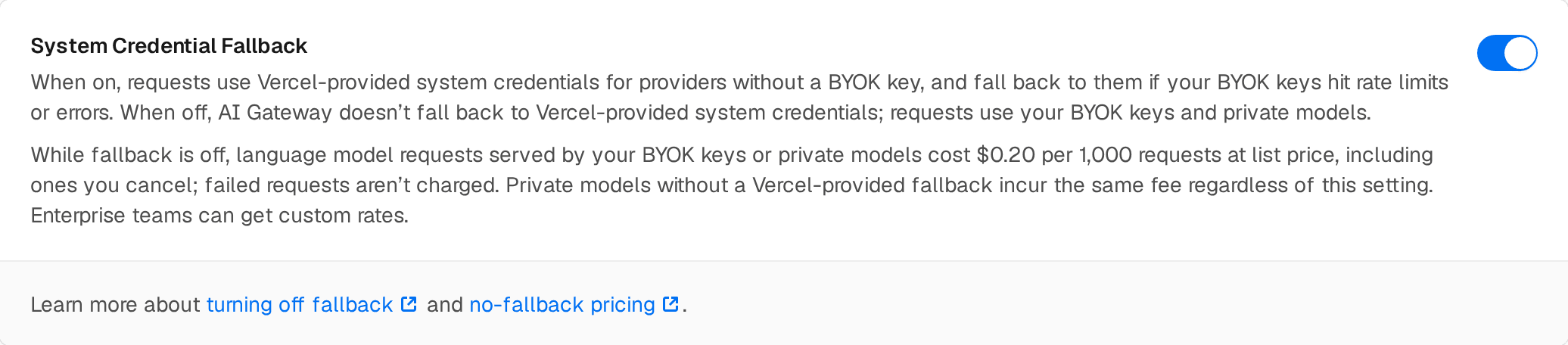
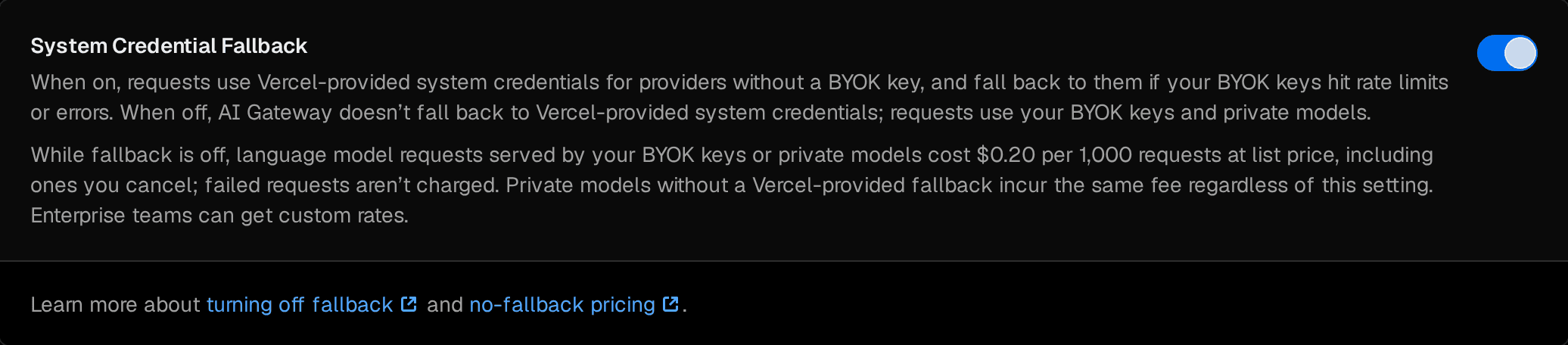
Before the setting turns off, a confirmation lists what changes and the fee:
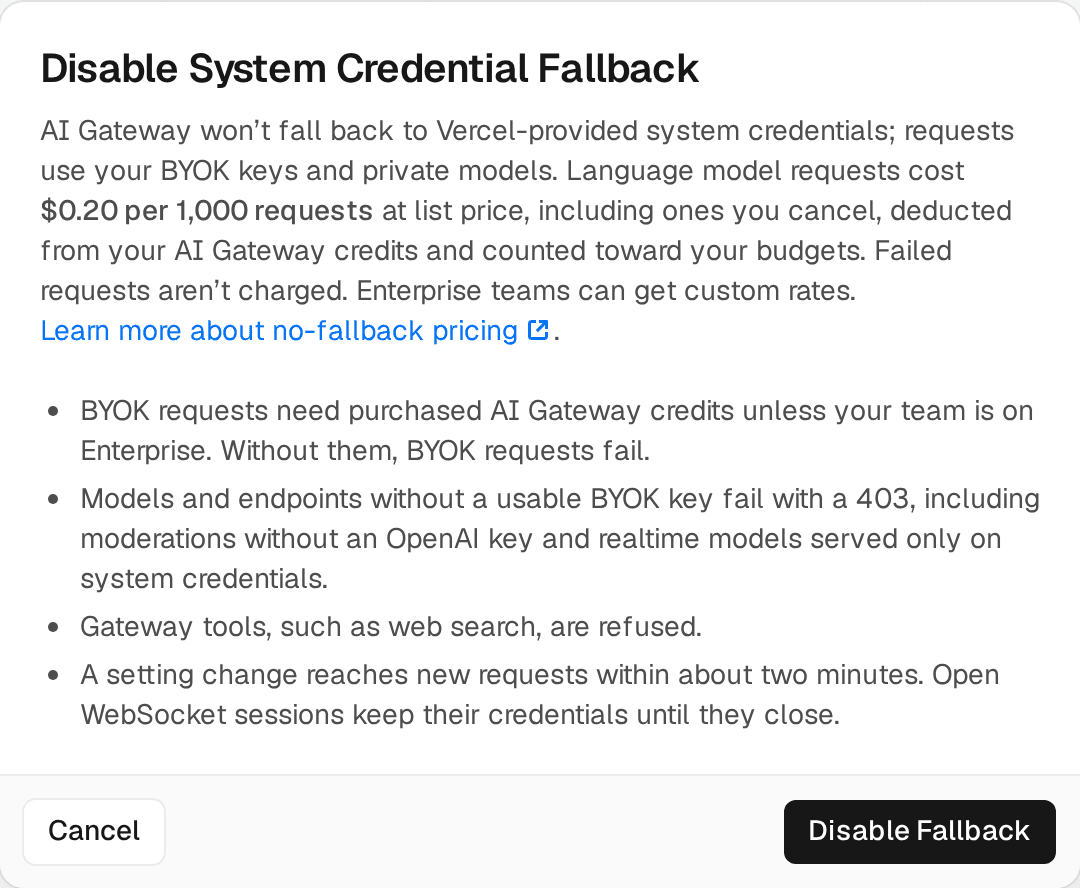
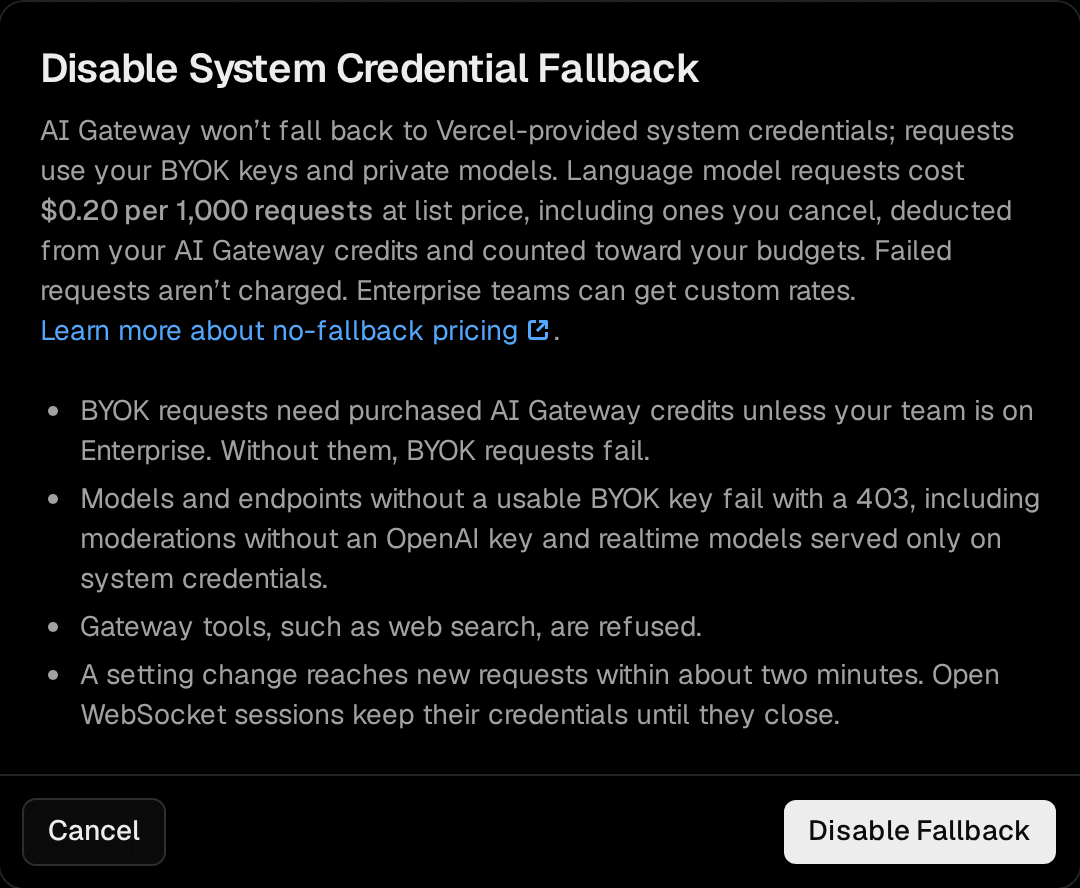
To restore fallback, turn the setting back on. A setting change reaches new requests within about two minutes. Open WebSocket sessions keep their credentials until they close.
The setting is available on every plan. Team owners can change it. With role-based access, members with the AI Gateway settings permission can too.
With the setting off:
-
AI Gateway doesn't fall back to Vercel's provider keys. Requests use your BYOK credentials, including request-scoped credentials, and your private models.
-
BYOK credentials and private models need purchased AI Gateway Credits and a positive credit balance. Without them, your BYOK and private model requests fail.
-
If a credential fails, AI Gateway tries your BYOK credentials for the model's other providers, then the next model in your
modelslist, which can be a private model. If nothing succeeds, the request fails instead of retrying on Vercel's provider keys. -
If none of a model's providers has a usable BYOK credential, AI Gateway skips the model with a
403error that names those providers, and tries the next model in yourmodelslist. If no model is left, the request returns that error. For example:No usable BYOK credential for provider 'openai'; fallback to Vercel-provided inference is disabled for this team. Add a BYOK credential for this provider, or re-enable fallback in your AI Gateway settings.For a model that only Vercel-provided inference serves, the message starts with "This model is only available on Vercel-provided inference".
-
AI Gateway refuses requests that use gateway tools, such as web search, with a
400error, because those tools run on Vercel credentials. -
/v1/moderationsrequires an OpenAI BYOK key. -
AI Gateway refuses realtime models that only Vercel's provider keys serve.
-
/v1/messages/count_tokensreturns a local estimate of the token count. -
With ZDR on, team-wide or per request, only BYOK keys marked ZDR-compliant can serve the request. Without one, the request fails.
Fallback to Vercel Keys is on by default, and BYOK requests have no fee while it's on. With the setting off, AI Gateway charges $0.20 per 1,000 BYOK requests.
| Fallback to Vercel Keys | Fee for BYOK requests |
|---|---|
| On (default) | No additional cost |
| Off | $0.20 per 1,000 requests |
AI Gateway charges the fee as follows:
- While the setting is off, the fee applies to all inference requests that your BYOK credentials or private models serve, across all routes.
- AI Gateway doesn't charge requests that fail, for example because of a provider error or rate limit.
- AI Gateway deducts the fee from your AI Gateway Credits balance, and the fee counts toward your budgets, even when a budget excludes BYOK spend. Fees alone can exceed a budget, and AI Gateway then rejects your BYOK requests with a
402. - The fee applies on every plan at list price. Enterprise teams can contact sales for custom rates.
- At list price, 1,000,000 requests that incur the fee cost $200. Your provider bills you directly for tokens, and AI Gateway adds no markup on them.
To stop the fee, turn Fallback to Vercel Keys back on, and give private model requests a Vercel-provided fallback. For every AI Gateway fee, see AI Gateway Pricing.
In addition to configuring credentials in the dashboard, you can pass provider credentials on a per-request basis using the byok option in providerOptions.gateway. This is useful when you need to use different credentials for specific requests without changing your team-wide configuration.
When request-scoped BYOK credentials are provided, AI Gateway doesn't consider any cached BYOK credentials configured in the dashboard for that request. Requests may still fall back to Vercel's provider keys if the provided credentials fail, unless your team turned off Fallback to Vercel Keys.
The cURL examples use jq to encode the provider key in JSON.
These examples use AI SDK 7 and the AI SDK for Python beta. Set AI_GATEWAY_API_KEY before running them. See API format differences for setup, request fields, and response handling.
See the AI SDK BYOK reference for SDK configuration and usage.
import { generateText } from 'ai';

const { text } = await generateText({
  model: 'anthropic/claude-sonnet-5',
  prompt: 'Explain quantum computing in two sentences.',
  providerOptions: {
    gateway: {
      byok: {
        anthropic: [
          {
            apiKey: process.env.ANTHROPIC_API_KEY!,
          },
        ],
      },
    },
  },
});

console.log(text);import asyncio
import os
import ai
async def main():
model = ai.get_model("anthropic/claude-sonnet-5")
messages = [ai.user_message("Explain quantum computing in two sentences.")]
params = ai.InferenceRequestParams(
extra_body={"providerOptions": {"gateway": {"byok": {"anthropic": [{"apiKey": os.environ["ANTHROPIC_API_KEY"]}]}}}}
)
async with ai.stream(model, messages, params=params) as stream:
async for event in stream:
if isinstance(event, ai.events.TextDelta):
print(event.chunk, end="", flush=True)
print()
asyncio.run(main())import OpenAI from 'openai';
const client = new OpenAI({
apiKey: process.env.AI_GATEWAY_API_KEY,
baseURL: 'https://ai-gateway.vercel.sh/v1',
});
const response = await client.chat.completions.create({
model: 'anthropic/claude-sonnet-5',
messages: [
{
role: 'user',
content: 'Explain quantum computing in two sentences.',
},
],
// AI Gateway extension fields are not included in the upstream SDK types.
...{
providerOptions: {
gateway: {
byok: {
anthropic: [
{
apiKey: process.env.ANTHROPIC_API_KEY!,
},
],
},
},
},
},
});
console.log(response.choices[0]?.message.content);import os
from openai import OpenAI
client = OpenAI(
api_key=os.environ["AI_GATEWAY_API_KEY"],
base_url="https://ai-gateway.vercel.sh/v1",
)
response = client.chat.completions.create(
model="anthropic/claude-sonnet-5",
messages=[{"role": "user", "content": "Explain quantum computing in two sentences."}],
extra_body={"providerOptions": {"gateway": {"byok": {"anthropic": [{"apiKey": os.environ["ANTHROPIC_API_KEY"]}]}}}},
)
print(response.choices[0].message.content)jq -n '{
"model": "anthropic/claude-sonnet-5",
"messages": [
{
"role": "user",
"content": "Explain quantum computing in two sentences."
}
],
"providerOptions": {
"gateway": {
"byok": {
"anthropic": [
{
"apiKey": $ENV.ANTHROPIC_API_KEY
}
]
}
}
}
}' | curl --fail-with-body https://ai-gateway.vercel.sh/v1/chat/completions \
-H "Authorization: Bearer $AI_GATEWAY_API_KEY" \
-H "Content-Type: application/json" \
--data-binary @-import Anthropic from '@anthropic-ai/sdk';
const client = new Anthropic({
apiKey: process.env.AI_GATEWAY_API_KEY,
baseURL: 'https://ai-gateway.vercel.sh',
});
const response = await client.messages.create({
model: 'anthropic/claude-sonnet-5',
messages: [
{
role: 'user',
content: 'Explain quantum computing in two sentences.',
},
],
max_tokens: 1024,
...{
providerOptions: {
gateway: {
byok: {
anthropic: [
{
apiKey: process.env.ANTHROPIC_API_KEY!,
},
],
},
},
},
},
});
for (const block of response.content) {
if (block.type === 'text') console.log(block.text);
}import os
from anthropic import Anthropic
client = Anthropic(
api_key=os.environ["AI_GATEWAY_API_KEY"],
base_url="https://ai-gateway.vercel.sh",
)
response = client.messages.create(
model="anthropic/claude-sonnet-5",
messages=[{"role": "user", "content": "Explain quantum computing in two sentences."}],
max_tokens=1024,
extra_body={"providerOptions": {"gateway": {"byok": {"anthropic": [{"apiKey": os.environ["ANTHROPIC_API_KEY"]}]}}}},
)
for block in response.content:
if block.type == "text":
print(block.text)jq -n '{
"model": "anthropic/claude-sonnet-5",
"messages": [
{
"role": "user",
"content": "Explain quantum computing in two sentences."
}
],
"max_tokens": 1024,
"providerOptions": {
"gateway": {
"byok": {
"anthropic": [
{
"apiKey": $ENV.ANTHROPIC_API_KEY
}
]
}
}
}
}' | curl --fail-with-body https://ai-gateway.vercel.sh/v1/messages \
-H "Authorization: Bearer $AI_GATEWAY_API_KEY" \
-H "Content-Type: application/json" \
-H "anthropic-version: 2023-06-01" \
--data-binary @-import OpenAI from 'openai';
const client = new OpenAI({
apiKey: process.env.AI_GATEWAY_API_KEY,
baseURL: 'https://ai-gateway.vercel.sh/v1',
});
const response = await client.responses.create({
model: 'anthropic/claude-sonnet-5',
input: 'Explain quantum computing in two sentences.',
...{
providerOptions: {
gateway: {
byok: {
anthropic: [
{
apiKey: process.env.ANTHROPIC_API_KEY!,
},
],
},
},
},
},
});
console.log(response.output_text);import os
from openai import OpenAI
client = OpenAI(
api_key=os.environ["AI_GATEWAY_API_KEY"],
base_url="https://ai-gateway.vercel.sh/v1",
)
response = client.responses.create(
model="anthropic/claude-sonnet-5",
input="Explain quantum computing in two sentences.",
extra_body={"providerOptions": {"gateway": {"byok": {"anthropic": [{"apiKey": os.environ["ANTHROPIC_API_KEY"]}]}}}},
)
print(response.output_text)jq -n '{
"model": "anthropic/claude-sonnet-5",
"input": "Explain quantum computing in two sentences.",
"providerOptions": {
"gateway": {
"byok": {
"anthropic": [
{
"apiKey": $ENV.ANTHROPIC_API_KEY
}
]
}
}
}
}' | curl --fail-with-body https://ai-gateway.vercel.sh/v1/responses \
-H "Authorization: Bearer $AI_GATEWAY_API_KEY" \
-H "Content-Type: application/json" \
--data-binary @-Each provider has its own credential structure:
| Provider | Parameters |
|---|---|
| Anthropic | { apiKey: string } |
| OpenAI | { apiKey: string } |
| Azure | { apiKey: string, resourceName: string } |
| Google Vertex AI | { project: string, location: string, googleCredentials: { privateKey: string, clientEmail: string } } |
| Amazon Bedrock | { accessKeyId: string, secretAccessKey: string, region?: string } |
For detailed credential parameters for each provider, see the AI SDK providers documentation.
You can specify multiple credentials per provider (tried in order) and credentials for multiple providers:
providerOptions: {
  gateway: {
    byok: {
      // Multiple credentials for the same provider (tried in order)
      vertex: [
        { project: 'proj-1', location: 'us-east5', googleCredentials: { privateKey: '...', clientEmail: '...' } },
        { project: 'proj-2', location: 'us-east5', googleCredentials: { privateKey: '...', clientEmail: '...' } },
      ],
      // Multiple providers
      anthropic: [{ apiKey: 'sk-ant-...' }],
      bedrock: [{ accessKeyId: '...', secretAccessKey: '...', region: 'us-east-1' }],
    },
  } satisfies GatewayProviderOptions,
},Some providers like Azure let you create deployments with custom names. Model mappings let you map AI Gateway model slugs to your deployment names so requests route to the correct deployment.
For example, your Azure resource might have a deployment named my-finetuned-gpt5 for the model openai/gpt-5.4-nano.
Include a modelMappings array in each credential to map AI Gateway model slugs to your custom deployment names:
providerOptions: {
  gateway: {
    only: ['azure'],
    byok: {
      azure: [
        {
          apiKey: process.env.AZURE_API_KEY,
          resourceName: process.env.AZURE_RESOURCE_NAME,
          modelMappings: [
            {
              gatewayModelSlug: 'openai/gpt-5.4-nano',
              customModelId: 'my-finetuned-gpt5',
            },
          ],
        },
      ],
    },
  } satisfies GatewayProviderOptions,
},
Model mappings are optional. If your deployment names match AI Gateway defaults, skip this step.
You can also configure model mappings in the dashboard when adding or editing BYOK credentials. The dashboard provides a searchable dropdown of available AI Gateway model slugs.
When ZDR is enabled, either team-wide or per-request, AI Gateway skips your BYOK keys by default. BYOK keys operate under your own agreements and permissions with providers, which can differ from the ZDR agreements Vercel has negotiated for its own provider keys.
If you have your own ZDR agreement with a provider, mark an individual BYOK key as ZDR-compliant to include it in the ZDR routing set. This applies to both team-wide and request-level ZDR.
Marking a key as ZDR-compliant makes it eligible for ZDR routing; it does not enable ZDR. ZDR is enforced only when team-wide ZDR is on or the request sets zeroDataRetention: true. Without team-wide or request-level ZDR enabled, normal routing and fallback apply. Marking a BYOK key as ZDR-compliant does not enforce ZDR for the request.
ZDR also changes fallback. With ZDR enabled, a ZDR-marked BYOK key is tried first, and a failed request falls back only to Vercel's provider keys for providers with ZDR agreements. If none are available for the model, the request fails instead of routing through a non-ZDR provider. With Fallback to Vercel Keys off, a failed request doesn't fall back to Vercel's provider keys at all.
Using your own credentials doesn't opt you out of regional routing. AI Gateway applies inferenceRegion to BYOK requests the same way it does to Vercel's provider keys, calling the provider's in-region endpoint with your key. A region set on the request overrides a region saved on the credential, such as a Vertex location.
For the full behavior, including failure cases and how to confirm where a request ran, see BYOK and data residency.
After successfully adding your credentials for a provider, you can verify that they're working directly from the Bring Your Own Key (BYOK) tab. To test your credentials:
- In the AI Gateway tab, navigate to the Bring Your Own Key (BYOK) section.
- Click the menu for the key you want to test.
- Select Test Key from the dropdown.
This will execute a small test query using a cheap and fast model from the selected provider to verify the health of your credentials. The test is designed to be minimal and cost-effective while ensuring your authentication is working properly.
Once the test completes, you can click on the test result badge to open a detailed test result modal. This modal includes:
- The code used to make the test request
- The raw JSON response returned by the AI Gateway
Was this helpful?